|
|
|
Categories
|
|
Information
|
|
Featured Product
|
|
|
 |
|
|
There are currently no product reviews.
 ;
This place is amazing. Got our manual in a few hours. Print quality is excellent. Even the manufacturer didn't have this manual. The price was excellent. How many more stars can I give them? More than satisfied.
;
This was a very hard to find manual. The unit is long discontinued and Pioneer doesn't retain every manual for every model. Thanks owner's-manual.com!
 ;
I'm so glad I was able to find a site to download my missing manuals. Very reasonable prices and they kept me informed about the process and I had my manual within less than a day. The only thing I wish was an option is a 100% English version with no spanish or anything. But overall great site.
;
The manual is complete with excellent quality! One suggestion, show number of pages and weather it is multi-lingual. The AD 600 Manuel is about 76 pages and over half is non English. This results in a larger print job than usually needed. Having this information, one could select the desired pages for printing.
;
I've been looking for a copy of the original user/owner manual. Just what the doctor ordered, thank you.
INSTALLATION AND CONNECTIONS
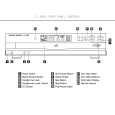
To prevent possible damage to your speakers and other components in your audio system, it is important that ALL components, including the FL 8385 and your receiver or preamp and amplifiers, are turned off and unplugged from their AC power source when installing any new component. Connecting the FL 8385 to your audio system is simple. Using standard RCA-to-RCA interconnect cords, connect the left and right Audio Output Jacks � on the rear panel to the CD input jacks on your receiver, surround processor or preamplifier. If your system includes an optional external digital-toanalog converter, or if you are using a receiver or other processor that has the capability to decode PCM digital input signals, connect the Coaxial Digital Output Jack � to the Coaxial Digital input on the decoder. Make certain to use a coaxial-style interconnect cable, as standard audio cables will not perform as well. Install the two AA batteries supplied with the FL 8385�s remote by turning the remote over so that you are holding the bottom side up. Press lightly on the embossed arrow on the cover and gently slide the cover towards you in the direction of the arrow. Insert the batteries inside the compartment, being careful to follow the + and � polarity indications at the bottom of the compartment. Replace the cover by placing it on the remote and sliding it back towards the top of the remote. NOTE: When replacing batteries, it is always a good idea to replace both at the same time. When the unit will not be used for an extended period of time, it is also a good idea to remove the batteries so that the potential for corrosion or damage is avoided. If the FL 8385 is installed behind a cabinet or other obstruction that may block the path between the front panel Remote Sensor $ and the location of the remote, an optional external IR sensor may be used. Connect the sensor to the Remote Control Input Jack ¢ on the rear panel. This jack may also be connected to the IR-Output jack of another compatible Harman Kardon component or a compatible IR-system-remote product. You may also use the IR Sensor in the FL 8385 to send commands to other compatible remote controlled products. Connect the Remote Control Output Jack £ to the input of the other product or system. Connect the power to a nonswitched AC wall outlet or to the accessory outlet on the rear of another audio device in your system and you are ready to go! NOTE: When using the accessory outlet on another product to power the FL 8385, make certain that it has the compatibility to power a device that draws at least 20 watts of current in addition to being able to handle the requirements of the other devices that may be plugged into the accessory outlets. If you use a �switched� outlet, it is important to remember that the host product must be turned on in order for the FL 8385 to operate.
�
10
INSTALLATION AND CONNECTIONS
|
|
|
> |
|