|
|
|
Categories
|
|
Information
|
|
Featured Product
|
|
|
 |
|
|
There are currently no product reviews.
 ;
Excellent printing quality.
A complete and very usefull service manual with all details.
GREAT SERVICE AT VERY LOW PRICE!
A+++++++++++++++++++++++++
;
Excellent printing quality.
A complete and very usefull service manual with all details.
GREAT SERVICE AT VERY LOW PRICE!
A+++++++++++++++++++++++++
;
Excellent printing quality.
A complete and very usefull service manual with all details.
GREAT SERVICE AT VERY LOW PRICE!
A+++++++++++++++++++++++++
;
Very fast and perfect delivery. Clear and well scanned. A lot of work professionally realized.
Again thak you a lot
 ;
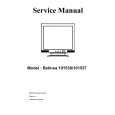
This manual is accurate and of high quality. It is only volume 2 of the service manual. This is schematic, parts lists, and exploded mechanical drawings. The theory of operation and the diss-assembly instructions are in volume 1. The unit can be tricky to dis-assemble portions of so the volume 1 manual can be important. The product description of the manual is accurate but it does not say anything about volume 1 and the image of the front page does clearly say Volume 2.
Belinea 101536 (111504) Service Manual
1. PRECAUTION AND NOTICES
1.1. SAFETY PRECAUTIONS This monitor is manufactured and tested on a ground principle that a user's safety comes first. However, improper use or installation may cause damage to the monitor as well as to the user. Carefully go over the following WARNINGS before installing and keep this guide handy. WARNINGS: u u u u u u u u u This monitor should be operated only at the correct power sources indicated on the label on the rear end of the monitor. If you're unsure of the power supply in your residence, consult your local dealer or power company. Use only the special power adapter that comes with this monitor for power input. Do not try to repair the monitor your self as it contains no user-serviceable parts. This monitor should only be repaired by a qualified technician. Do not remove the monitor cabinet. There is high-voltage parts inside that may cause electric shock to human bodies, even when the power cord is unplugged. Stop using the monitor if the cabinet is damaged. Have it checked by a service technacian. Put your monitor only in a clean, dry environment. If it gets wet, unplug the power cable immediately and consult your service technician. Always unplug the monitor before cleaning it. Clean the cabinet with a clean, dry cloth. Apply non-ammonia based cleaner onto the cloth, not directly onto the glass screen. Keep the monitor away from magnetic objects, motors, TV sets, and transformer. Do not place heavy objects on the monitor or power cord.
1.2. PRODUCT SAFETY NOTICE Many electrical and mechanical parts in this chassis have special safety visual inspections and the protection afforded by them cannot necessarily be obtained by using replacement components rated for higher voltages, wattage, etc. Before replacing any of these components read the parts list in this manual carefully. The use of substitute replacement parts which do not have the same safety characteristics as specified in the parts list may create shock, fire, or other hazards.
1.3. SERVICE NOTES 1. When replacing parts or circuit boards, clamp the lead wires around terminals before soldering. 2. When replacing a high wattage resistor (more than 1W of metal oxide film resistor) in circuit board, keep the resistor about 5mm away from circuit board. 3. Keep wires away from high voltage, high temperature components and sharp edges. 4. Keep wires in their original position so as to reduce interference. 5. Usage of this product please refer to also user's manual.
-1-
6/25/2003
|
|
|
> |
|