|
|
|
Categories
|
|
Information
|
|
Featured Product
|
|
|
 |
|
|
There are currently no product reviews.
 ;
SCANNING OF HIGH QUALITY
VERY, VERY HIGH VELOCITY DOWNLOAD
VERY GOOD PRICE,
TRUE SATISFIED, THANKS
;
Genuine Toshiba owner's manual. Couldn't really ask for more. And written in understandable English in contrast to a few recent experiences I have had with manuals for other equipment other than Toshiba but made in China and written in "Chinglish"!
;
I purchased a vintage Sony mixer off eBay and within the hour was able to locate and purchase the manual for it.I mean really,where else can you find a manual for a product made in 1983!? It was easy to find and purchase/download the manual I needed.I will use this site again for other equipment I have! Great site!
;
manual de usuario perfecto y completo de buena calidad de impresion y muy detallado ideal !
 ;
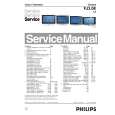
It`s full copy of a service manual from url http://www.philips.owner-manuals.com/PM3216-service-manual-PHILIPS.html
USB Hub (Optional Feature)
PCUH411 USB Hub (Option)
Front View � Rear View � Installing your USB Hub
Installing your USB Hub
Installing on a conventional base. 1. Take out the USB hub from the box. 2. Take off the USB hub cover. 3. Slightly tilt and lift the base of your monitor. 4. Attach the USB hub by clipping into the base. 5. You can reposition the USB hub along the base to suit your needs. Installing on the Multimedia base. Follow Steps 1 and 2 above. 6. Position the USB
file:///D|/rita/LF2/LF2/LFa1/multi_manual/english/INSTALL_2/usbhub/usb_inst.htm (1 of 2) [8/29/2001 2:59:36 PM]
|
|
|
> |
|