|
There are currently no product reviews.
 ;
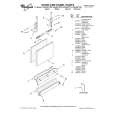
This manual is a complete guide, including later additions. It has all the necessary information about the replacement items. The material quality is great to read.
 ;
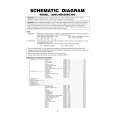
This manual is very helpful, correct shematic diagram, and good exploded view.Perfect!
;
Alte gescannte Servicepläne sind oft doch etwas undeutlich . Stromlaufpläne werden auf mehrere DIN A4 Seiten aufgeteilt. Alles ziemlich umständlich und zeitaufwendig. Aber mit etwas Mühe geht alles.
;
Great item, high resolution, detailed, very easy to work with.
;
fast delevery of the manual and very complete manual, now my Akai works again, will buy again, thanks.
11. Removing the chassis frame
1) Remove the back cover. (Refer to Item 1.) 2) Remove the speakers. (Refer to Item 2.) 3) Remove the top shield bracket. (Refer to Item 3.) 4) Remove Power Module unit. (Refer to Item 4.) 5) Remove the Scaler board. (Refer to Item 5.) 6) Remove the D-Rewrite board and bracket. (Refer to Item 6.) 7) Remove the back plate. (Refer to Item 7.) 8) Remove the TU/AOUT, AV2 and Signal boards. (Refer to Item 8.) 9) Remove the Front/AV board. (Refer to Item 9.) 10) Remove the Power SW and LED/RMT boards. (Refer to Item 10.) 11) Remove 2 screws (PP 3x6), then remove the cord holder. 12) Remove 4 screws (PP 3x6), then remove 2 fan bracket holders. 13) Remove 4 screws (PP 3x20), then remove the 2 DC fans. 14) Remove 10 screws (PBI 4x12) and 8screws (PP 4x10), then remove the chassis frame.
PP 3x6 Fan bracket holder PP 3x6 DC Fan
PP 3x20 PBI 4x12 PP 3x20 PP 4x10 PP 3x6 PP 4x10 PBI 4x12
Chassis frame
� 27 �
|