|
|
|
Categories
|
|
Information
|
|
Featured Product
|
|
|
 |
|
|
There are currently no product reviews.
 ;
It was very usefull, it is clear the quality is super, the price I paid is very afordable.
Generally speaking Iam very happy with this company.
;
The manual was exactly what I needed, Good quality scans too. superb.
;
I am so happy found this site as it consists of so many Manuls and easy to aquire. This onei s exactly what I wanted and much more as it has info on not only how to use the tuner but how to repair it as well. I will come here 1st before purchasing else where! Thanks owner-manual.com!
;
Top class product, I printed it out on A3 paper and it is clear and very easy to follow.
Cheaper than buying a new radio!
;
is part of the manual is very useful for repairing
Here are circuit diagrams
if there is damage, I recommend using this part of the
a complete list of circuit boards and components
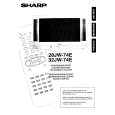
32JW-74E
The following geometry adjustments can be carried out. Detailed instructions on how to execute these are given on the following pages: Horizontal � Horizontal Shift � East West Width � Pin Phase � Pin Amp � Vertical angle � Vertical bow � Upper Corner Amplitude � Lower Corner Symmetry � Extreme Corner Symmetry Vertical � Vertical Amplitude � S Correction � Vertical Shift � Vertical Linearity
Just in case the TV set requires a full geometry adjustment, please proceed first with Vertical according to the above order, and after that, adjust Horizontal according to the above order. Horizontal Shift Adjust the horizontal shift so that the picture is centred. The effect of this adjustment is shown in figure 2. � When the volume up button is pressed, the picture moves to the left. � When the volume down button is pressed, the picture moves to the right. � Press the stand-by button on the remote control to store. East West Width Adjust the East West Width so that 8% over-scan is achieved. The effect of this adjustment is shown in figure 3. � When the volume up button is pressed, horizontal scanning increases. � When the volume down button is pressed, horizontal scanning decreases. � Press the stand-by button on the remote control to store. Pin Phase Adjust the Pin Phase so that the picture is symmetrical top and bottom. The effect of this adjustment is shown in figure 4. � When the volume up button is pressed, side pincushion changes. � When the volume down button is pressed, side pincushion changes. � Press the stand-by button on the remote control to store. Figure 4 Pin Amp Adjust the Pin Amplitude so that the picture is centred. The effect of this adjustment is shown in figure 5. � When the volume up button is pressed, side pincushion changes from pincushion to barrel shape. � When the volume down button is pressed, side pincushion changes from barrel shape to pincushion. � Press the stand-by button on the remote control to store.
Figure 2
Figure 3
Figure 5
8
|
|
|
> |
|