|
|
|
Categories
|
|
Information
|
|
Featured Product
|
|
|
 |
|
|
There are currently no product reviews.
 ;
Very satisfied with received document, all is right, Thank You very much, it was a Pleasure to work with You.
 ;
great site, the most easy and fastest way to find the manual you need, no 5 star because the manual was only available in german, but I speak german as well so no problem for me.
;
thanks for this download i got a pioneer bdp-lx70a blu-ray player and it had no manual i search everywhere on the internet and came across owner-manuals.com and i found that it was so easy to find and downloaded from this site if i ever need a manual again this would be the first place that i would come too thanks guys
;
Superb! It's the original manual. We can now use our old calculator with its full function.
;
This is a very well written and comprehensive manual. It answered all our queries.
Set Up (Continued)
L Saving broadcast TV channels into memory.
1.1 1.2 1.3 1.4
Press MENU to access MAIN MENU screen, then press CH UP (8) or DOWN (9) to move the � � mark to �SET UP�. Press VOL (+) or (�) to access SET UP mode, then press CH UP (8) or DOWN (9) to move the � � mark to �CH SETTING�. Press VOL (+) or (�) to access CH SETTING screen. Press CH UP (8) or DOWN (9) to move the � � mark to �CH SEARCH�, then press VOL (+) or (�) to access CH SEARCH screen. Press VOL (+). The tuner will search through all available channels in your area and add them into the TV�s memory.
(STOP)
�
CH
SE TUP A I R / CAB L E CH S E ARCH C H MEMOR Y
MENU
EZ
�
(CH SETTING mode)
�
(START)
CH S E ARCH 12 S T ART : + S T OP : � AIR
START
2.1
STOP
2.2 2.3
Press VOL (�). CH SEARCH will stop at the current channel and will not add any higher channels. Press MENU to exit.
(CH SEARCH mode)
Note: � If you press VOL (+) again while in the CH SEARCH mode, autoprogram will start again, and the previously memorized channels will be lost.
L
Adding weak or additional channels or erasing unwanted channels from TV memory.
1.1 1.2
Press MENU to access MAIN MENU screen, then press CH UP (8) or DOWN (9) to move the � � mark to �SET UP�. Press VOL (+) or (�) to access SET UP mode, then press CH UP (8) or DOWN (9) to move the � � mark to �CH SETTING�. Press VOL (+) or (�) to access CH SETTING mode, then press CH UP (8) or DOWN (9) to move the � � mark to �CH MEMORY�. Press VOL (+) or (�) to access CH MEMORY. Use CH UP (8) or DOWN (9) or REMOTE KEYPAD to select each desired channel to add or erase.
or
� �
E Z SE TUP A I R / CAB L E CH S E ARCH C H MEMOR Y
(CH SETTING mode)
1.3
�
2.1 2.2
2.3
30
Press VOL (+) to add a channel to the TV�s memory or press VOL (�) to erase a channel from the TV�s memory.
30-32 32/36R-S50.p65e
30
19/1/01, 5:15 PM
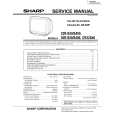 $4.99 36RS50 SHARP
Service Manual Complete service manual in digital format (PDF File). Service manuals usually contains circuit diagr…
|
|
|
> |
|







