|
|
|
Categories
|
|
Information
|
|
Featured Product
|
|
|
 |
|
|
There are currently no product reviews.
 ;
Superb service and excellent quality of the document received
;
no problems with the purchase of a circuit diagram
;
Scan are good quality and overall just what i was looking for. Thanks!
 ;
Very good quality pdf file, no missing pages and all words and schematics clearly readable. Whole manual is present featuring different languages.
;
Very,very good manual.It was very explicit and readble.It was helpfull.Thanks.
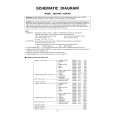
SPECIFIC INFORMATIONS GENERAL ADJUSTMENTS
(Reference Factory Adjustments)
Items Names Input signals Measuring points methods Adjusting standards
Settings (User control)
[SCNT] Sub-contrast PICTURE MODE-1 Sub-bright signal TP46B Adjust amplitude from the pedestal 2.4 ± 0.1 Vp-p
Screen size: WIDE (PAL-I Signal) level to the white peak. Audio system: I
PICTURE MODE-1 Signal [BRTC] Sub-bright Screen adjustAdjust the number of collapsed black lines 4±1.5 pieces Adjust this after adjusting W/B, [SCNT].
Center Screen size: WIDE of the sub-bright signal. ment Screen adjustment
[COLP] Sub-color center PICTURE MODE-1 Sub-bright Signal TP46B Adjust the amplitude of B-Y. 1.2 ± 0.1 Vo-p
PAL (PAL) (Apply Y mute at the time of adjustment) Screen size: WIDE
2
S C E N R Cutoff Screen adjustment Enter Horizontal Straight-line Mode. Bright part PICTURE MODE-1 Screen size: WIDE
2
� 12 �
G Cutoff Gradually increase the screen VR until R, (103cd/m )
Cutoff G, or B line starts to light up slightly. 8750K-0.002uv [RCUT] [RCUT]: 40H G Drive Determine this location as the adjusting Dark part [GCUT] [GCUT]: 40H [BCUT] B Drive position of the screen VR. (17cd/m ) than the line that glimmered in above [BDRV] [BDRV]: 35H and stop at the location where each of Screen judgment them glimmers. (CA100) (Adjust so that it will become almost white) Escape from horizontal straight-line mode. Use the CA100 and adjust repeatedly so that both the dark and bright areas will come to correct values.
[BCUT]: 40H [GDRV] [GDRV]: 35H Gradually raise the respective lines other 8750K-0.002uv
|
|
|
> |
|