|
|
|
Categories
|
|
Information
|
|
Featured Product
|
|
|
 |
|
|
There are currently no product reviews.
 ;
Whilst this is a photo copy, and some of the pages are a little askew, it was all readable and intact. A real bonus finding an old manual for a classic piece of kit that no other site had.
Great stuff.
;
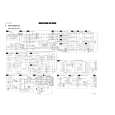
excellent quality, contains circuits and scan quality, 110 pages
;
It was easy done, and I got exactly what I was looking for.
;
The manuel was exactly what I needed and I received it promptly. Thanks
;
Thanks to Owner-Manuals.com! This manual was exactly what I needed. As Amana was purchased by Maytag and later by Whirlpool, there was no way to receive it from their websites. I was lucky to find this resource.
Select the index teletext page
Press the white colour key to display the main index (usually p.100).
VCR 1 TUNER TAPE SAT CD
u
M TV
VCR 2 DVD AMP
B
+
V
q X j b
e �
DVD
c �
SELECT
�
b P-
T-C
P+
S
P
y�
18
Teletext
�
b
OK
�
¬
+
P
-
Only for T.O.P teletext broadcasts : T.O.P orders the pages in categories and adds other possibilities of enhancing ease of use. Press i. A T.O.P. overview of the teletext subjects available is displayed. Not all TV channels broadcast T.O.P. teletext.When the teletext system is not T.O.P. teletext, a message appears at the top right of the screen. Select with the cursor up/down, left/right the desired subject and press the OK key.
1 4 7
i
� �
2 5 8 0
3 6 9
0
Select subpages
When a selected teletext page consists of different subpages, one of the subpages appears on the screen. The coloured number in the vertical bar at the right of the screen refers to the displayed subpage. The other subpages can be selected in 2 ways : With the cursor up/down The other subpage numbers appear in white as soon as the transmission has found them.They are stored in the memory so that they are available while the teletext page is on screen. Select with the cursor up/down the previous or the following subpage. By adding a subcode Press U. Enter the desired subpage with the digit keys : e.g. 3 for the third page of seven subpages. The TV searches for the selected subpage. Automatically rotating subpages: Press U again to cancel the subcode. Now the subpages rotate automatically. Press U again. A vertical bar with the available subpages reappears again. Select the subpages with the cursor up/down.
k h Ï� f â�
DVD
U
C
AUDIO
N
c �
d
s
Special teletext functions
Interrupt Press e and the TV programme appears. The display b indicates that you are still in the teletext mode. You can select a page number. Press e again to display the teletext page. Mix Press c to overlay the teletext page on the TV programme. Press c again to display only the teletext page. Enlarge Press h repeatedly to display the upper part, the lower part and then to return to the normal page size. Reveal Press f to reveal/conceal the hidden information, such as solutions to riddles and puzzles.
|
|
|
> |
|