|
|
|
Categories
|
|
Information
|
|
Featured Product
|
|
|
 |
|
|
There are currently no product reviews.
 ;
This manual was exactly what I needed. Detailed, useful and delivered as promised.
 ;
Great manual good quality really helped in the repair of my Toshiba, thanks
;
Print was clear and easy to read. Thank you Joe joeoldaudio
;
Very great deal. In a few minutes a have the manual, that I needed. Thanl you very much
;
Manual was complete. Received it quickly. No problems
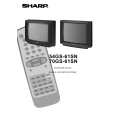
70GS-61SN
4. Once this data has been set, press the stand-by button to store. 5. If another NVM value has to be changed, use the channel down button to select the page or position and repeat as necessary. Note: DO NOT change any NVM data, unless you have been advised to do so by a Sharp representative. If data is incorrectly changed, serious damage may occur to the receiver.
STEREO LED FLASHING CODES.
If the TV set does not work and the stereo led is flashing, follow the sequence according to the information below, as a guide to fault finding.
1. Unable to read or write into NVM: 66% ON, 33% OFF twice and OFF for a second.
Contrast Adjustments Three types of contrast levels can be varied as listed below: � TELETEXT MIX MODE CONTRAST � TELETEXT CONTRAST � OSD CONTRAST Use the volume up/down buttons to adjust to a suitable level, then press the stand-by button to store.
On
Off
2. MSP failure: 66% ON, 33% OFF for three times and OFF for a second.
On
Off
DVCO Adjustment (PAL) Carry out the DVCO Adjustment (PAL) as shown below: 1. Receive a Phillips pattern signal. 2. While in the DVCO ADJUSTMENT (PAL) menu, press the stand-by button. 3. The adjustment will be carried out automatically and stored.
3. VCT failure: 66% ON, 33% OFF for four times and OFF for a second.
On
Off
DVCO Adjustment (NTSC) No adjustment required.
AGC Adjustment To correctly align the Automatic Gain Control, follow the procedure outlined below: 1. Tune the set into a pattern generator on CH10. 2. Adjust the signal strength of the pattern generator to 57 dB/uV 3. Enter the service mode. 4. Enter the AGC Adjustment menu. 5. Press the stand-by button on the remote control. 6. The adjustment will be carried out and stored automatically.
Auto Installation On/Off To return the receiver to the original Auto Installation mode, using the volume up or down button, set the Auto Installation On/Off to On. This setting is automatically stored and when the receiver is turned on the next time it will start up in Auto Installation mode.
11
|
|
|
> |
|