|
|
|
Categories
|
|
Information
|
|
Featured Product
|
|
|
 |
|
|
There are currently no product reviews.
 ;
Good morning, the service manual you sent me was perfect.
Your service and answering are excellent.
I recomend this service.
Best regards.
 ;
I had been looking everywhere for a proper service manual for this VCR. Everywhere else that has this available for download has a very light version. This is the full service manual with all aspects that would interest anyone looking for the service manual for the AIWA HV-MX100 Worldwide VHS VCR. Great quality (as always). A winner hands down. Best Quality.
;
Top quality manual. Covers all aspects you'd expect in a top quality service manual for this Panasonic VHS VCR. The manual resolution is high. Another top quality manual from the only site worth downloading manuals from! If you're looking for a manual for the PV-9662 VHS VCR, this is the one you'll want to get!
;
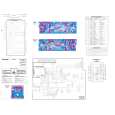
complete part-lists and pcb layout, schematic diagram is good enlargable,
;
Excellent, fast delivery, excellent product. Good luck!
D
3.0 Com Port setzen
Um die Verbindung zwischen Interface und PC herzustellen müssen Sie nun Ihren PC auf die richtige Eingangsbuchse stellen (Com Port). Bitte starten Sie den Comserver mit einem Doppelklick der Maus auf das Icon "ComServ".
GB
3.0 Setting the Com port
To provide a connection between the interface and the PC, you must now set the correct communication port.
1.
1.
2.
2.
Double-click the "ComServ" icon to start the ComServer.
3.
In der oberen Menuebake des ComServers müssen Sie den Punkt "Konfiguration" + "Schnittstellen" auswählen.
3.
Choose the item "Schnittstellen" (interface) from the "Konfiguration" menu.
4.
Stellen Sie nun die von Ihnen gewünschte Schnittstelle (V24 Port) ein und bestätigen mit "OK". Danach speichern Sie die Einstellungen.
4.
Then set the desired interfaces (V24 port) and confirm with "OK". Click "OK" to store your settings.
-6-
|
|
|
> |
|