|
|
|
Categories
|
|
Information
|
|
Featured Product
|
|
|
 |
|
|
There are currently no product reviews.
 ;
Very quick and easy website to use and fast download of manual, quality of manual is excellent and will be pleased to use this service again in the future, thanks so much!
 ;
Easy and secure way to get a complete service manual of a vintage hifi component. Only some parts of the print copy are dificult to read. Nice price!
;
The manual is an excellent reproduction with complete schematics, made troubleshooting and repair a simple process.
;
Up to now you are the BEST! Prompt-efficient and so reasonable ! I have been after SONY service manual for quite some time !Thank you very much ! I can recomend your service to
all my collegagues ! V.Bergfield .
;
This is a very good quality print (scan) of the original SONY service manual. The original from Sony is on very thin paper. Nevertheless it is very clear and sharp and excellent readable. I'm very satisfied to have now this rare document. I've looking for it many years (infrequent). It contains very detailed circuit diagrams, exploded views, part lists, PCB view with good readable connection lines. Very recommended.
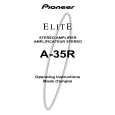
A-35R
7 DIRECT button/indicator
Use this button when you do not wish to pass the output from input terminal equipment through the various frequency adjusting circuits (BASS, TREBLE, BALANCE, LOUDNESS). On : The indicator lights: The signals passing through the input terminals are reproduced without passing through the various frequency adjusting circuits. This results in flat, pure sound which is a more faithful reproduction of the input source. Off : The indicator goes off: The signal passes through the various frequency adjusting circuits.
- SPEAKERS B (ON/OFF) button/indicator
Use this button to listen to the speaker system connected to SPEAKERS B terminals. ON : The indicator lights. Sound is heard from the speaker system. OFF : The indicator goes off. No sound is heard from the speaker system. Set to this position when listening with headphones.
= PHONES jack
When using headphones, insert the plug into this jack.
8 SB MODE button/indicator
The SB mode is a special mode in which the amplifier does not accept remote control (But all of the facilities can be controled by manual as same as SB mode OFF.). Fix the VOLUME control near the center position. In this mode, the set can be used as a power amplifier which amplifies the LINE/SURROUND BACK input (the function name is LINE/SB) with a input sensitivity of 1 V. For example, when the set is combined with one of Pioneer�s Surround Back compatible receiver, the set can be used as the Surround Back amplifier (For details, please refer to the instruction manual of the receiver.)
NOTE:
The speakers continue to output sound even when headphones are plugged into this jack. To mute the sound from the speakers, press the SPEAKERS button to OFF.
~ SPEAKERS A (ON/OFF) button/indicator
Use this button to listen to the speaker system connected to SPEAKERS A terminals. ON : The indicator lights. Sound is heard from the speaker system. OFF : The indicator goes off. No sound is heard from the speaker system. Set to this position when listening with headphones.
9 TREBLE tone control
Use to adjust the high-frequency tone. The center position is the flat (normal) position. When turned to the right, highfrequency tones are emphasized; when turned to the left, high-frequency tones are de-emphasized.
NOTE:
This control does not operate when the DIRECT button is in the on position.
0 BASS tone control
Use to adjust the low-frequency tone. The center position is the flat (normal) position. When turned to the right, lowfrequency tones are emphasized; when turned to the left, lowfrequency tones are de-emphasized.
NOTE:
This control does not operate when the DIRECT button is in the on position.
31
|
|
|
> |
|