|
|
|
Categories
|
|
Information
|
|
Featured Product
|
|
|
 |
|
|
There are currently no product reviews.
 ;
It is perfect, exactly what we needed. It's like the paper version but less clutter.
 ;
Received my manual within 24 hours. Very clear scan of the manual I needed. Thanks!
;
Very clear scan, I recommend it. Definitely a must have for any 3362 owner.
Alpine could have written a slightly more complete manual, though. It's already pretty huge, but the unit has so many functions, I feel some more explanation would have been better.
Yamaha's manual of their comparable YDSP-1 is a little better in my opinion.
;
Immediate response with excellent service - highly reccommended
;
Correct manual received and of good quality but the contents of the file for the Service Manual for the same monitor is for a 20" TV not the RGB Monitor.
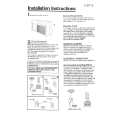
Changing Air Direction
The louvers in the grille area at the top of the air conditioner control the direction of the conditioned air. The tabs at the bottom of the grille can be moved to the right, left or straight ahead. Move the tabs in the direction in which you want the air to flow.
Caring for your air conditioner
Proper use and care of your air conditioner will help insure longer life and lower operating costs. Follow these instructions carefully or call your dealer for an annual checkup.
Cleaning of Front Panel and Filter
A clean filter helps remove dust, lint and other particles from the air. Check every two weeks to see if the filter needs cleaning. The front panel may also be cleaned at this time.
5. Clean filter by using a vacuum cleaner or, if very dirty wash filter with warm water and a mild detergent. Air dry thoroughly before replacing. DO NOT USE A HOT AIR DRYER.
CAUTION: Do not use cleaning fluld, solvents, abraslve cleaners, or strong detergents. They may damage parts.
6. Clean front panel using a soft cloth with
warm water and a mild detergent. Rinse and dry. (See CAUTION above.]
1. Remove front panel from unit for cleaning.
Press down at top edge of front panel to release it from top of cabinet. 2. Pull top of front panel toward you. 3. Lift up and away from bottom spring clips.
7. Replace filter and hold it with elastic band.
8. ;;y;
control panel clean with a soft dry
9. Replace front panel. Locate bottom of panel on the spring clips. Press down on top edge of front panel and push front toward unit to secure upper tabs.
4. Remove filter from front panel by removing elastic band which holds it in place.
|
|
|
> |
|