|
|
|
Categories
|
|
Information
|
|
Featured Product
|
|
|
 |
|
|
There are currently no product reviews.
 ;
Very satisfied with received document, all is right, Thank You very much, it was a Pleasure to work with You.
 ;
great site, the most easy and fastest way to find the manual you need, no 5 star because the manual was only available in german, but I speak german as well so no problem for me.
;
thanks for this download i got a pioneer bdp-lx70a blu-ray player and it had no manual i search everywhere on the internet and came across owner-manuals.com and i found that it was so easy to find and downloaded from this site if i ever need a manual again this would be the first place that i would come too thanks guys
;
Superb! It's the original manual. We can now use our old calculator with its full function.
;
This is a very well written and comprehensive manual. It answered all our queries.
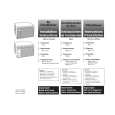
3. Turn the THERMOSTAT Control to a mid-setting. Adjust the air conditioner's performance by turning the THERMOSTAT Control clockwise ( ) for maximum cooling. For less cooling, turn the THERMOSTAT Control counterclockwise ( ). Experiment and find the setting that suits you best.
Your air conditioner has one of these controls:
COLDER
OFF 1 2 THERMOSTAT
7 6 5 4
3
Using the HEAT settings (some models)
For heating, turn the THERMOSTAT Control counterclockwise ( ) . For models with a heat pump feature: When the outside temperature is 45°F (7°C) or above, the air conditioner operates as a heat pump and heats the air running through the unit. When the outside temperature is below 45°F (7°C), the unit switches to an electric-resistance heater to heat the air. For models with an electric strip heater only: The electric strip heater is activated when the FAN CONTROL is set to a heat setting. NOTE: Your air conditioner is not designed to be used as a primary heat source. It is intended for supplemental heating only.
5 6 7
WARMER
2 3 4
11
2 3 4 5 6 7
COLDER
THERMOSTAT
6
|
|
|
> |
|