|
|
|
Categories
|
|
Information
|
|
Featured Product
|
|
|
 |
|
|
There are currently no product reviews.
 ;
Bought T4850 High End Tuner a few years ago, but i didn't know where all the buttons were used for. So i purchased the owners manual. Perfect! Just what i needed.
;
Bought the used Philips car-radio. No manual! Found on this site a copy of the orginal English manual. I am very happy with it. Now I know how to setup and use my "new" car-radio.
Recommended site for everybody looking for a manual for (older) products!
;
Great deal, you are the only one on earth who could deliver this old manual. Thx so much and have nice chrismas
 ;
Everything is OK. Owner's Manual I downloaded ( I get link for it by email).
;
The only reason I gave this less than 4 stars, is because it shouldn't take 24 hrs to have the download available. I was surprised to find that I had to wait until the next day to be able to download the manual that I paid for.
The manual itself is the correct manual.
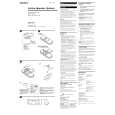
Remote controller
RM-RK50
ATT SOUND
1 2
U R SOURCE F
5 6
3 � Selects the preset stations while listening to the radio. Each time you press the button, the preset station number increases, and the selected station is tuned in. � Skips to the first file of the previous directory while listening to an MP3 disc. Each time you press the button, you can move to the previous directory and start playing the first file. 4 Functions the same as the control dial on the main unit. NOTE: These buttons cannot be used for the CLOCK H, CLOCK M, SCM LINK, LEVEL, SCROLL and TAG DISP adjustments. (See page 24 � 26). 5 Selects the sound mode. Each time you press the button, the sound mode changes. 6 Selects the source. Each time you press the button, the source changes. 7 � Searches stations while listening to the radio. � Fast-forwards or reverses the track/file if pressed and held while listening to a disc. � Skips to the beginning of the next track/file or goes back to the beginning of the current (or previous) tracks/files if pressed briefly while listening to a disc.
3
D
7
4
VOL VOL
1 � Turns on the unit if pressed when the unit is turned off. � Turns off the unit if pressed and held until �SEE YOU� appears on the display. � Drops the volume level in a moment if pressed briefly. Press again to resume the volume. 2 � Selects the band while listening to the radio. Each time you press the button, the band changes. � Skips to the first file of the next directory while listening to an MP3 disc. Each time you press the button, you can move to the next directory and start playing the first file.
5
ENGLISH
|
|
|
> |
|