|
|
|
Categories
|
|
Information
|
|
Featured Product
|
|
|
 |
|
|
There are currently no product reviews.
 ;
Quick site processing. A complete and very useful manual with all details. Thank you!
;
Quick service response. A useful and very rare service manual with all details. I recomend this service.
;
I ordered this manual sometime in the afternoon and I received it on my e-mail the same evening.
This is a fantastically good and properly scanned copy of the original manual. All pages are of the same scale and they overlap each other. It means that you can print the manual and easily make it as a convenient paper manual.
The content of the manual is fantastic. Alignment descriptions, PCB layouts and elementary diagrams are explicit and precise. I immediately found what I was looking for. Thanks to this manual and Owner-Manuals.com my amplifier is alive again. Many thanx indded!
;
The manual was well-scanned and easy to read. As an added bonus, the Operator's Manual was bundled with the Service Manual!
I'd definitely use owner-manuals.com again.
;
Finally, i found one website, where i can download this service manual , and fix my hifi. The service manual is very good, and easy to download and to print.
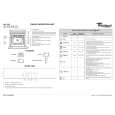
SERVICE
Technical data
Failure codes
Whirlpool Europe Customer Service
AKZ 493/IX 8585 493 01000
28.05.2004 / Page 3 Doc. No: 4812 725 18449
Product Type All
Failure Code F01
Failure Type Temperature Probe
Test First check probe connection. If ok, disconnect the probe and measure its resistance (1000� + 3.75 x Temp ambient). If value is in range, change Antares / Capricorn. Check heating elements insulation (disconnect each heating element and check each terminal for continuity to GROUND). If there is no continuity, change Antares / Capricorn. Replace Capricorn or if applicable reprogram Antares EEPROM using SAM. If the problem persists, change Antares. First check connection between Capricorn and Scales. If connection is ok, connect a new Capricorn to the Scales and check if the appliance works correctly. Otherwise change Scales. First unplug the appliance, wait at least 10sec then reconnect. Verify that latch system works correctly (door has to be closed, motor has to run). If this happens, check the connection between Antares and door latch system. If it is ok, check micro switch functionality (door switch open if the door is open and latch switch open if the door is unlocked). If switches are ok, then change Antares. First check connection between Antares and door latch system. If it is ok, check door switch functionality (open circuit if the door is open, closed circuit if the door is closed). If switch is ok, then change Antares. First check connection between Antares / Capricorn & User Interface. If connection is ok, connect a new User Interface to the Antares / Capricorn and check if the appliance works correctly. In this case change the User Interface on the appliance. Otherwise change the Antares / Capricorn. Change G2 Smart. First check connection between Antares & User Interface. If connection is ok, connect a new G2SMART to the Antares and check if the appliance works correctly. In this case change the G2SMART on the appliance. Otherwise change the Antares First check grill connections. If it is ok, disconnect the heating element and check the resistance between the terminals (approx. 22� ± 3�). If the value is in range, change Antares. First check connection between G2 and TEX. If connection is ok, connect a new TEX to the G2SMART and check if the appliance works correctly. Otherwise change G2SMART
All
F02
Temperature Error
All
F03
A.M. EEPROM
Capricorn only
F04
W.I.S.P. Protocol
Pyro
F05
Door Latch
Pyro
F06
Door Closure
All
F07
Communication UI/AM
TAD TAD
F08 F09
UI EEPROM Communication G2SMART/Antares
Pyro
F10
Primary grill
TAD
F11
Communication G2SMART/TEX
|
|
|
> |
|