|
|
|
Categories
|
|
Information
|
|
Featured Product
|
|
|
 |
|
- Exteriors
- Original Cover Unit
- Operation Panel
- Side Door Unit
- Optical Frame 1
- Optical Frame 2
- LSU Unit
- Mirror Holder Unit
- Delivery Paper Guide Unit
- Middle Frame
- Base Plate Unit 1
- Base Plate Unit 2
- Fusing Unit
- Drive Unit
- Single Manual Paper Feeding Cover Unit AL - 1000
- Multi Manual Paper Feeding Cover Unit AL - 1001/AL - 1200
- Single Manual Paper Feeding Unit AL - 1000
- Multi Manual Paper Feeding Unit AL - 1001/AL - 1200
- Socket Holder Unit
- TC Case Unit
- 250 Sheets Tray
- Harness
- Packing Material & Accessories
- MCU PWB
- Operation PWB
- MFD Sensor PWB
- POD Sensor PWB
- PPD1 Sensor PWB
- PPD2 Sensor PWB
- DC Power Supply PWB
There are currently no product reviews.
 ;
Everything was ok with the manual. If I have a small complaint, is that I ordered it during the weekend and I think you guys were closed. But I did receive it late Sunday. I will surely order from you again
;
Best Service! Very fast and easy to handle. Fast Download an you can come back every day to download again
;
Very good quality, no parts are missing and everthing is readable.
Thank you very much. :-)
;
This manual is all I need to check and repair my equipment. Thank you....
 ;
sorry for my english...the service given by O.M.com is perfect for content and codition...!!!
thank's a lot!!!
best greetings
AL-1000/1010
7) Manually turn the copy lamp unit/No.2/3 mirror unit drive gear to bring No.2/3 mirror unit into contact with the positioning plate, and perform the procedure of step 4). Repeat procedures of steps 4) to 7) until the parallelism of No.2/3 mirror unit is properly set. 8) With No.2/3 mirror unit positioning plate in contact with No.2/3 mirror unit, bring the copy lamp unit into contact with the right frame and fix the copy lamp unit to the drive wire. Procedures 1) to 8) are for adjustment of mechanical horizontal parallelism. The copy lamp unit and No.2/3 mirror are fixed to the specified positions and the mechanical horizontal parallelism of No.2/3 mirror is adjusted. Then the optical horizontal parallelism must be adjusted in the following procedures.
Copy lamp unit projection
5) Loosen the copy lamp unit/No.2/3 mirror unit drive pulley setscrew in the side where No.2/3 mirror unit does not make contact with No.2/3 mirror unit positioning plate.
Set screw
Scanner unit drive pulley
9) Set the image distortion check chart on the document table, and make a reduction copy (75%) on an A4 or 11� � 8 1/2� paper with the document cover open.
6) Without moving the copy lamp unit/No.2/3 mirror unit drive pulley shaft, manually turn the copy lamp unit/No.2/3 mirror unit drive pulley in the same direction of the loosened setscrew. When it makes contact with No.2/3 mirror unit positioning plate, tighten and fix the setscrew.
50mm
Image distortion check chart
9-2
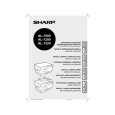 $4.99 AL1000 SHARP
Owner's Manual Complete owner's manual in digital format. The manual will be available for download as PDF file aft…
|
|
|
> |
|