|
|
|
Categories
|
|
Information
|
|
Featured Product
|
|
|
 |
|
|
There are currently no product reviews.
 ;
Excellent printing quality.
A complete and very usefull service manual with all details.
GREAT SERVICE AT VERY LOW PRICE!
A+++++++++++++++++++++++++
;
Excellent printing quality.
A complete and very usefull service manual with all details.
GREAT SERVICE AT VERY LOW PRICE!
A+++++++++++++++++++++++++
;
Excellent printing quality.
A complete and very usefull service manual with all details.
GREAT SERVICE AT VERY LOW PRICE!
A+++++++++++++++++++++++++
;
Excellent printing quality.
A complete and very usefull service manual with all details.
GREAT SERVICE AT VERY LOW PRICE!
A+++++++++++++++++++++++++
;
Excellent printing quality.
A complete and very usefull service manual with all details.
GREAT SERVICE AT VERY LOW PRICE!
A+++++++++++++++++++++++++
[5]UNPACKING AND INSTALLATION
3. Installing procedure
A. Set-up
1) Remove all pieces of tape, then open the SPF or the document cover and remove the protective material. 2) Use a coin (or other suitable object) to remove the screw.
6) Store the pressure plate lock which has been removed in step 5) and the screw which has been removed in step 2) in the front of the paper tray. To store the pressure plate lock, rotate the lock to fix it on the relevant location.
Pressure plate lock
Note: Store the screw in the paper tray as described in step 6) because it must be used if the machine has to be moved. 3) Install the TD cartridge. For installation of the TD cartridge, see the next page. 4) Gentry lift and pull out the paper tray until it stops.
For two tray models, follow steps 4) to 6) for both the upper and lower trays except for storage of the screw.
Screw
7) Ensure that the power switch of the machine is in the OFF position. Plug the power cord into the nearest outlet. Caution: �If you use the machine in a country other than the country where the machine was purchased, you will need to make sure that your local power supply is compatible with your model. If you plug the machine into an incompatible power supply, irreparable damage to the machine will result. �Only insert the power cord into a properly grounded wall socket. Do not use extension cords or power strips. Note: Connect the machine to a power outlet which is not used for other electric appliances. If a lighting fixture is connected to the same outlet, the light may flicker.
5) Remove the pressure plate lock. Rotate the pressure plate lock in the direction of the arrow to remove it while pressing down the pressure plate of the paper tray.
AL-1633/1644 UNPACKING AND INSTALLATION 5-1
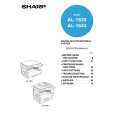 $4.99 AL1644 SHARP
Owner's Manual Complete owner's manual in digital format. The manual will be available for download as PDF file aft…
|
|
|
> |
|