|
|
|
Categories
|
|
Information
|
|
Featured Product
|
|
|
 |
|
|
There are currently no product reviews.
 ;
A complete and well done copy of the manual, at a not expansive price!
The delivery of the manual is very fast.
Thank you for all
;
Perfect quality. Was able to fix speed drifting on my Sansui Turntable using the service manual instructions for PLL adjustment.
;
I am very happy regarding the online purchase of this manual from Owner-Manuals.com as with this I could set right my Denon CD player and Amplifier.
I once again sincerely thank them for the prompt service which was rendered to me.
N. Shanker
;
More than pleased with my prurchase, very good product for the price.
;
Manual-link came 30 minutes after having paid for an extremely rare (40 years old) item (sony icr-120) and helped me to get the radio rework again. So really good help for me, fast and reliable delivery and -taken that into consideration- a very reasonable price for that service. So thanks again! Mike, Germany
AM-300DE
6. Loading paper
7) If you installed a new toner cartridge, press (this will reset the toner counter to zero). to select YES You can load approximately 250 sheets of A4 paper (80 g/cm2) in the paper tray. Caution! Do not use the blank side of paper that has already been printed on. 1) Remove the output tray.
NEW TONER? OK: PRESS START
� If you temporarily removed and then replaced an old toner cartridge for maintenance or other reason, press to continue ,
using the previous toner count. (Note: Be sure to press
or the machine will not alert you when the toner cartridge is out of toner.) 8) Press .
2) Insert a stack of paper into the tray, print side up. � Important! The stack of paper must not be higher than the paper height line on the paper tray.
9) If you installed a new drum cartridge, reset the drum counter as explained below.
4. Resetting the drum counter
Each time you install a new drum cartridge, follow the steps below to reset the drum counter to zero.
1
Press
MENU
and then
Z
or
A
Display:
LIFE
Paper height line
repeatedly until the display at right appears.
2
Press
.
CLEAR: START KEY DRUM COUNTER
3) Squeeze the sides of the paper guide as shown and slide it to the slot for the length of the paper you are loading (A4).
3 4
Press Press
. repeatedly to exit.
1: LIFE COUNTER
5. Manually resetting the toner counter
When a new toner cartridge is installed, the toner counter is reset in Step 7 on the previous page. The procedure below is normally not necessary; however, it can be used in the event that you need to reset the toner manually. 4) Replace the output tray.
Display:
1
Press
MENU
and then
Z
or
A
LIFE
repeatedly until the display at right appears.
2
Press
.
CLEAR: START KEY TONER COUNTER
3 4
Press
.
3: CLR DRUM COUNT
Press
repeatedly to exit.
1�8
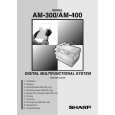 $4.99 AM300 SHARP
Owner's Manual Complete owner's manual in digital format. The manual will be available for download as PDF file aft…
|
|
|
> |
|