|
|
|
Categories
|
|
Information
|
|
Featured Product
|
|
|
 |
|
|
There are currently no product reviews.
 ;
great site, the most easy and fastest way to find the manual you need, no 5 star because the manual was only available in german, but I speak german as well so no problem for me.
 ;
thanks for this download i got a pioneer bdp-lx70a blu-ray player and it had no manual i search everywhere on the internet and came across owner-manuals.com and i found that it was so easy to find and downloaded from this site if i ever need a manual again this would be the first place that i would come too thanks guys
;
Superb! It's the original manual. We can now use our old calculator with its full function.
;
This is a very well written and comprehensive manual. It answered all our queries.
;
Excellent copy that was delivered within 12 hours and solved my problem.
Fax Setup
10
ABC
or
Press �1� if you want to specify the number as a Chain Dialing number (see �Chain Dialing for Long Numbers� in this section). Otherwise, press �2�.
11
STOP STOP
Step 4 or
Return to Step 4 to store another number, or press the STOP key a number of times until you exit. If the number is a Rapid key number, you can write the name on the label above the appropriate Rapid key.
Note: You may need to add a pause between certain digits in the number to allow ... time for connection. For example, if you are on a PBX telephone system that requires an access number, such as �9�, to be dialed to access an outside line, you will need to enter a pause between the access number and the fax number of the other party. Pauses are entered by pressing the REDIAL PAUSE key (2 seconds per pause). If necessary, several pauses can be entered in a row.
Use the following procedure to clear numbers:
Step
Press these keys
FUNCTION
Comments
�ENTRY MODE� will appear in the display. �FAX NUMBER MODE� will appear in the display.
1 2 3 4
DEF
ABC
Select CLEAR. �FAX NUMBER CLEAR� will appear in the display. To clear a Rapid key number, press the appropriate Rapid key. To clear a Speed Dial number, enter the 2-digit number with the number keys. �PRESS ENTER KEY� will appear in the display. If there is no number stored under that Rapid key or Speed Dial number, �NO NUMBER STORED� will appear in the display. �CLEARED� will appear in the display.
STOP
01
(example)
...
5
Step 4 or
ENTER
6
STOP
Return to Step 4 to clear another number, or press the STOP key a number of times until you exit.
2-20
02 INITAL. b(SUK) A5.p65 20
INITIAL SETTINGS
11/10/99, 13:51
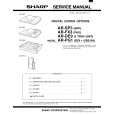 $4.99 AR-FX3 SHARP
Service Manual Complete service manual in digital format (PDF File). Service manuals usually contains circuit diagr…
|
|
|
> |
|