|
|
|
Categories
|
|
Information
|
|
Featured Product
|
|
|
 |
|
|
There are currently no product reviews.
 ;
Please tell us what you think and share your opinions with others. Be sure to focus your comments on the product. You will receive $2.00 of store credit for Your review.
;
Please tell us what you think and share your opinions with others. Be sure to focus your comments on the product. You will receive $2.00 of store credit for Your review.
;
Good copy and great customer service! There was some confusion with my order and it was resolved promptly!
;
Having bought a pre-owned Sony FM stereo tuner through eBay, it came without any manuals. It soon became clear that to get the best from this excellent tuner I needed a decent manual because much of the operation was not intuitive to a newboy to hi fi like me. I managed to download the official Sony multi-lingual manual from Owner-Manuals.com with no problem at all - a really quick and easy service. I'm very glad I did because I found out all the operations of the tuner and was then able to not only set it up quickly but also to get much more from it that poke-and-hope trialling would ever achieve. In my book $4.99 very well spent.
;
This manual is immaculate in it's accuracy. Everything is written very clearly and easy to understand. Written by a professional who wants to convey a clear and easy to understand message!!
1gb33145.fm5 Page 65 Tuesday, February 20, 2001 3:01 PM
CARE AND MAINTENANCE
For built-in appliances � Periodically clean air vents with a vacuum cleaner or a brush (see figure A). � Clean the outside using a soft cloth. Freestanding appliances � Periodically clean the condenser at the rear of the appliance with a vacuum cleaner or a brush (see figure B).
Prolonged disuse
1. Empty the refrigerator and freezer compartments. 2. Disconnect the appliance from the mains power supply. 3. Defrost the freezer compartment, and clean and dry both compartments. 4. Leave the doors open to prevent formation of unpleasant odours. A
B
.
TROUBLESHOOTING GUIDE
1. The appliance is not working. � Is there a power failure? � Is the plug properly inserted in the mains socket? � Is the double-pole switch on? � Has the fuse blown? � Is the power cord in perfect condition? � Is the thermostat set to z (Stop)? 2. Temperature inside the compartments is not low enough. � Is the door shut properly? � Is the appliance installed near a heat source? � Is the thermostat setting correct? � Are the air circulation grilles blocked? 3. Temperature inside the refrigerator compartment is too low. � Is the thermostat setting correct? 4. Water collects at the bottom of the refrigerator compartment. � Is the defrost water drain blocked? 5. The inside light is not working. Perform the checks for problem 1, then: � Disconnect the appliance from the mains power supply. To inspect the bulb, refer to the instructions and illustration on the attached table. � Check the bulb and, if necessary, replace it with one of the same type. Replace using maximum 15W bulb. 6. Excessive frost build-up in the freezer compartment. � Is the door shut properly? � Is food obstructing proper door closure? Notes: � The front edge of the appliance may be hot. This prevents the formation of condensation and is not a defect. � Gurgling and hissing noises due to expansion in the refrigerant circuit are normal.
65
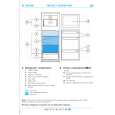 $4.99 ARL 641/H IGNIS
Quick Start Quick start guide ( sometimes called quick guide ) contains most important information on how to use…
|
|
|
> |
|