|
|
|
Categories
|
|
Information
|
|
Featured Product
|
|
|
 |
|
|
There are currently no product reviews.
 ;
I received the manual in correct time. It was a perfect help for me.
;
excellent quality, contains circuits and scan quality, 226 pages
 ;
Great price for the manual and easy to locate on the site and download. I would buy again.
;
Very good copy of Manual, clear and easy to print off, arrived very promptly and reasonably priced. Thanks, I will use you again
;
The service manual when downloaded and printed out was clear and easy to read. The manual is complete with the schematic diagram and technical data. I occasionally require a manual and now having registered with this company I shall order from them in the future.
3gb33020a.fm5 Page 17 Friday, May 31, 2002 3:21 PM
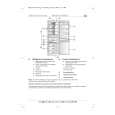
HOW TO OPERATE THE .REEZER COMPARTMENT
The freezer compartment, marked with the symbol, can be used for freezing fresh and cooked food, making ice cubes and storing frozen food. How to switch on the freezer compartment � When the appliance is plugged in, the freezer compartment switches on automatically. Important: � There is no need to adjust the thermostat knob as the temperature is factory set to ensure the correct storage temperature for frozen foods in the freezer compartment at ambient temperatures between +20°C and +25°C. � After switching on, the freezer compartment takes approximately 3 hours to reach a suitable temperature for frozen food storage. To adjust the temperature, follow the instructions in the accompanying chart. How to freeze fresh food You can use the freezer compartment to freeze food. The amount of fresh food that can be frozen in 24 hours, at an ambient temperature of + 25°C, is indicated on the data plate. How to proceed: 1.24 hours before freezing fresh food, turn the knob (1) to . When turning from Max to , the knob is slightly stiff and the YELLOW LED (3) near the symbol lights up simultaneously. 2.Wrap and seal the food in aluminium foil, cling film, air and water-tight plastic bags, polythene containers with lids, freezer containers. 3.Place food in the drawer, leaving enough space for air to circulate around packs. 4..or more efficient freezing, set the knob (2) to �Max� and use the fast freeze function for the next 24 hours. 5.When freezing is complete, turn the knob (1) back to its original position. Note: � In the event of a power failure, the freezer compartment maintains the correct storage temperature for about 13/14 hours. � In models with one or two ice packs, this temperature can be maintained for about 18/24 hours. � Do not open the freezer compartment door during a power failure.
17
|
|
|
> |
|