|
|
|
Categories
|
|
Information
|
|
Featured Product
|
|
|
 |
|
|
There are currently no product reviews.
 ;
Hello from Germany - thank you very much for the manual for my Sharp "Searcher" - the handling of your internet area is outstanding..Mike
;
I am very happy with the owner's manual. I bought a used Casio and was so relieved that I was able to get a hold of a owner's manual. It was very easy to download the manual and I had no problems with printing it. Thank you! Nancy Whalen
;
The purchased manual is an high-quality scan of the original JVC paper-based Owner´s Manual. I am very satisfied!
;
Very satisfied with received document, all is right, Thank You very much, it was a Pleasure to work with You.
 ;
great site, the most easy and fastest way to find the manual you need, no 5 star because the manual was only available in german, but I speak german as well so no problem for me.
SETTING LANGUAGE
This TV can display the channel number, on-screen displays and picture adjustments on the screen in English, Spanish or French. On-screen language selection (step 3) will automatically appear on the screen when you press the MENU button initially. Select the language you prefer first, then proceed with the other menu options.
1 2
Press the MENU button.
Press the CH + (v) or � (w) button to select the LANGUAGE mode, then press the ENTER button.
MENU CLOCK SET ON/OFF TIMER CH SET-UP PICTURE AUDIO LANGUAGE / IDIOMA / LANGUE V-CHIP SET v / w / ENTER / MENU / EXIT
3
Press the CH + (v) or � (w) button until the " " indicator points to the desired language: English (ENGLISH), Spanish (ESPA�OL) or French (FRANCAIS), then press the ENTER button. Press the EXIT button.
LANGUAGE / IDIOMA / LANGUE
v / w / ENTER / MENU / EXIT
4
NOTE: If Spanish or French is chosen, the Closed Caption indicators will be in the selected language, but the Closed Caption text will not be affected by the language selection.
SETTING CLOCK
You must set the time manually for DISPLAY and ON/OFF TIMER.
1 2
Press the MENU button.
4
MENU CLOCK SET ON/OFF TIMER CH SET-UP PICTURE AUDIO LANGUAGE / IDIOMA / LANGUE V-CHIP SET v / w / ENTER / MENU / EXIT
Press the CH + (v) or CH � (w) button to set the minute.
CLOCK SET 10 : 00 AM
Press the CH + (v) or CH � (w) button until the indicator next to "CLOCK SET" begins to flash, then Press the ENTER button.
v/w/
/
/ ENTER / MENU/ EXIT
5
Press the EXIT button.
3
Press the CH + (v) or CH � (w) button to set the hour, then press the VOL + ( ) button.
v/w/ /
CLOCK SET 12 : 00 AM
NOTES: � After a power failure or disconnection of the power plug, the time display will be lost. In this case, set present time again. � When you set the minute, you can change in 10minutes by holding down the CH + (v) or CH � (w) button.
/ ENTER / MENU/ EXIT
13
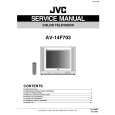 $4.99 AV14F703 JVC
Service Manual Complete service manual in digital format (PDF File). Service manuals usually contains circuit diagr…
|
|
|
> |
|