|
|
|
Categories
|
|
Information
|
|
Featured Product
|
|
|
 |
|
|
There are currently no product reviews.
 ;
I expect a wonderful result as alaways!!!!!!
Usually is much faster....
;
Wow very wonderful and clear!!!! I will always trust them
;
Providing the manual works fine, quickly and without any problems for an acceptable price. After printing the service manual it took me only a short time to repair my carradio from Clarion. Thank You! Greetings from Heiko
;
I was searching a way to modify the original phono-in entry (for connection of vynil disc player, with RIAA equalization) to a line-in entry (for connection of modern analog entries, eg. ipod, mp3player).
This service manual gave me the correct hints.
It contains very useful infos for repairing and modifing the hi-fi, such as disassembling instructions, block diagrams, schematic diagrams, PCB prints, replacement parts list.
Very good!
;
Great Job!!! clear and efficient as always!!
it is really nice to have peple that are doing such a good work!!!!!
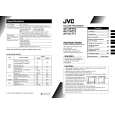
AV-14FR10/AV-14F10 AV-1434TEE/AV-1434EE AV-14FTT2/AV-14FTG2
[Method of setting] 1. IF [1. VCO] â� 1 Key ・・・・・・・・・・・・・・・・・・・・・・・・・ Select 1.IF. â�¡ 1 Key ・・・・・・・・・・・・・・・・・・・・・・・・・ Select 1.VCO â�¢ The VCO (CW) screen will be displayed a allow mark when the AFC voltage is at a certain level. â�£ DISPLAY Key・・・・・・・・・・・・・・・・・・ As you press this key twice, you will return to the SERVICE MENU. [2. DELAY POINT] â� 1 Key ・・・・・・・・・・・・・・・・・・・・・・・・・ Select 1.IF. â�¡ 2 Key ・・・・・・・・・・・・・・・・・・・・・・・・・ Select 2.DELAY POINT. â�¢ MENU -/+ ・・・・・・・・・・・・・・・・・・・・・ Set (adjust) the setting values of the setting items. DISPLAY Key ・・・・・・・・・・・・・・・・・・・・ When this is pressed twice, you will return to the SERVICE MENU. 2.V/C, 3.DEF and 4.VSM PRESET â� 2~4Key ・・・・・・・・・・・・・・・・・・・・・・・ Select one from 2. V/C, 3. DEF and 4. VSM PRESET. â�¡ MENU â�¼/â�² Key ・・・・・・・・・・・・・・ Select setting items. â�¢ MENU -/+ ・・・・・・・・・・・・・・・・・・・・・ Adjust the values of the items. â�£ DISPLAY Key ・・・・・・・・・・・・・・・・・・ When this is pressed, return to the SERVICE MENU.
6.TURBO TIMER â� By pressing the 6 key, you can change the ON or OFF ( should be OFF). (Should be OFF) ! If it is ON, the timer in TIMER mode changes from 1 minute into 1 sec temporarily. (It is easier to checks the Operation of TIMER) If you turn the TV power off, this setting becomes OFF automatically.
No. 51865
17
|
|
|
> |
|