|
|
|
Categories
|
|
Information
|
|
Featured Product
|
|
|
 |
|
|
There are currently no product reviews.
 ;
Even if the PDF is a scan, I can read the information I need.
The price is affordable and the service (mail sending) is very fast.
Thanks ! Regards. William (Fan of Kenwood)
;
Very good quality original datasheet!I like this amazing website!!!!!!
 ;
Excellent just what I needed to replace the electrolytic caps and make this old gem a beauty again. Was as scan of the original photocopied service manual.
;
It was helpful to get schematic with waveforms in important points and lot of service information. Manual is good quality, fast delivered. Of course it is hardcopy of paper one with all its disadvantages.
;
I want to give you a real heads-up for your desire to enable such people as I to acquire the information I need to maintain the older types of equipment such as this Akai HXA351W. You do a swell job with all the processes you have to perform so I can have a legible, thus usable
document which does not send me crazy trying to figure out the blurry text of a bad copy.
Very well done, Thomas.
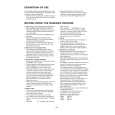
AV-20420 AV-20421 2.4 DISASSEMBLY PROCEDURE 2.4.1 REMOVING THE REAR COVER (1) Unplug the power plug. (2) Remove the 5 screws [A], and 2 screws [B] as shown in Fig.1. (3) Withdraw the REAR COVER toward you.. CAUTION: When reinstalling the rear cover, carefully push it inward after inserting the MAIN PWB into the rear cover groove. 2.4.4 CHECKING THE MAIN PW BOARD (1) Pull out the MAIN CHASSIS (refer to REMOVING THE MAIN PWB). (2) Erect the chassis vertically so that you can easily check the MAIN PWB from the reverse (solder) side. CAUTION: � When erecting the MAIN PWB, be careful so that there will be no contacting with other PWB. � Before turning power on, make sure that the CRT earth wire and other connectors are properly connected. � When conducting a check with power supplied, be sure to confirm that the CRT EARTH WIRE (BRAIDED ASS�Y) is connected to the CRT SOCKET PWB.
2.4.2 REMOVING THE MAIN PWB � Remove the REAR COVER. (1) Raise the backside of the MAIN PWB slightly. And remove the PWB STOPPER [C] from the cabinet bottom. (2) Withdraw the MAIN PWB backward. (If necessary, remove the wire clamp and connectors, etc.)
2.4.3 REMOVING THE SPEAKER � Remove the MAIN PW board. (1) Remove the 2 screws [D]. (2) Then you can remove the SPEAKER.
2.4.5 WIRE CLAMPING AND CABLE TYING (1) Be sure to clamp the wire. (2) Never remove the cable tie used for tying the wires together. Should it be inadvertently removed, be sure to tie the wires with a new cable tie.
1-6 (No.52111)
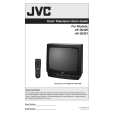 $4.99 AV-20420 JVC
Owner's Manual Complete owner's manual in digital format. The manual will be available for download as PDF file aft…
|
|
|
> |
|