|
|
|
Categories
|
|
Information
|
|
Featured Product
|
|
|
 |
|
|
There are currently no product reviews.
 ;
My first manual from Owner-Manuals.com but not the last! I am very satisfied with the easy ordering and promt delivery of a manual I did not find anywhere else.
 ;
This manual is very helpfull to use the Power Supply. All technical information has been available.
For service use the circuit diagrams are very good.
Thanks .
;
Very comprehensive document which is a must-have for any Satellit 2100 owner whose set up is somewhat intricate. Due to the bad quality of the pictures that are rather dark and a bit blurred I gave 4-star feedback.
;
The manual was missing 2 pages but when I presented the problem to the company they made every attempt to get the 2 pages to me, when they couldn't they refunded my money. A very pleasing and easy transaction. The manual they provided was the original, it was concise and to the point. I plan to do business with this company again when should the need arise.
;
The owners manual is very good. all my how to questions were answered in detail.
Menus à l�écran
Utilisation du guide
Certains symboles sont utilisés tout au long de ce guide pour vous aider à apprendre les fonctions de votre nouveau téléviseur. Ceux que vous verrez le plus souvent sont les suivants : Ï� â� Les flèches montante et descendante signifient appuyer sur les boutons CH+ ou CHâ��. Une pression des boutons CH+ ou CHâ�� vous permet : â�¢ De vous déplacer verticalement dans un écran de menu principal â�¢ De vous déplacer à travers un écran de sous-menu â�¢ De passer à la lettre, au chiffre ou autre choix suivant dans un sous-menu â�¢ De revenir en arrière pour corriger une erreur â�¢ De balayer les canaux de télévision (hors dâ��un écran de menu)
�®
Les flèches gauche et droite signifient d�appuyer sur les boutons VOLUME+ ou VOLUME� pour vous déplacer vers la gauche ou vers la droite afin de : � Choisir un élément d�un menu mis en relief � Choisir un élément dans un sous-menu � Choisir des chiffres dans certaines options de menu � De balayer les canaux de télévision (hors d�un écran de menu) L�icône « press button » signifie que vous devez appuyer sur le bouton nommé sur votre télécommande. (Les noms de bouton apparaissent en PETITES MAJUSCULES.) L�icône « helping hand » est dirigée vers l�élément mis en relief ou sélectionné dans un menu.
Pour faire remonter le menu à l�écran, appuyez sur le bouton MENU de la télécommande. L�élément qui apparaît en jaune est l�élément sélectionné. Si vous appuyez à nouveau sur le bouton MENU, l�affichage à l�écran passera à l�écran de menu suivant. Si vous utilisez le bouton Menu du panneau avant du téléviseur plutôt que celui de la télécommande, un écran de menu supplémentaire montrant l�entrée apparaîtra. Le « plug in menu interactif » apparaîtra la première fois que le téléviseur sera branché.
Remarques : � Les menus apparaissant dans le présent manuel sont des illustrations, et non des reproductions exactes des affichages à l�écran du téléviseur. � Si vous n�appuyez sur aucun bouton pendant quelques secondes, le menu à l�écran se ferme automatiquement.
24
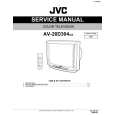 $4.99 AV20D304 JVC
Service Manual Complete service manual in digital format (PDF File). Service manuals usually contains circuit diagr…
|
|
|
> |
|