Shopping cart is empty
 
English Polski Spanish 
Search For a Manual
 

(e.g. AA-V20EG JVC, ZX-7 Sony )
PayPal 1000+ rating Secure, Encrypted Checkout.
 
Categories
Information
Featured Product
Home >> JVC >> AV-21JT5EU Owner's Manual
 
 0 item(s) in your cart 

JVC AV-21JT5EU
Owner's Manual


Tweet about this product and get $1.00 of store credit for instant use!
  • Download
  • PDF Format
  • Complete manual
  • Language: English, Portuguese
Price: $4.99

Description of JVC AV-21JT5EU Owner's Manual

Complete owner's manual in digital format. The manual will be available for download as PDF file after You purchase it.

Owner's Manual ( sometimes referred to as User's Guide or User's Manual ) contains information on how to use Your device. After placing order we'll send You download instructions on Your email address.

The manual is available in languages: English, Portuguese

Not yet ready
You must purchase it first

Customer Reviews
There are currently no product reviews.
Other Reviews
 FS730 KAWAI Owner's Manual by Larry Kilgore;
I received the owners manual complete download. Wow did it help me. So glad for your website. Can you include an ownersmanual for people lol! Thanks, sure I will be back
 SAHT70 PANASONIC Owner's Manual by robert gidney;
fast response great copy easy to download quick to correct mistakes
 C-3 TEAC Owner's Manual by Bradford Thompson;
This manual provided the necessary information to properly use the C-3 deck. The manual was an excellent reproduction and very clear.
 RS-736US PANASONIC Owner's Manual by mike powers;
Product was very good. Received quickly and complete
 CPS201 CASIO Owner's Manual by Werner Widmeier;
Although printing quality is not the best, the manual was very helpful in order to reactivate this ancient but still good electronic musical instrument.

Text excerpt from page 6 (click to view)
CONNECTING THE EXTERNAL EQUIPMENT
TV and AV Use the AV button on the remote control, or on the front of the set to select one of the three options. Whenever the AV button is pressed, on the on-screen display will be changed as shown: AV S-VHS TV SCART JACK ( ): This is used to connect a VCR 1, a PERI-TV decoder 2, a Camcoder or a video game console. In most case, the set changes automatically to AV when the VCR connected is in display mode. If not, press the AV button on the remote control or on the front of the set. You must turn the external equipment off to return to the TV mode.

1

2

1

4

You might also want to buy

$4.99

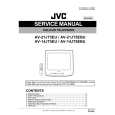
AV21JT5EU JVC
Service Manual

Complete service manual in digital format (PDF File). Service manuals usually contains circuit diagr…
>
Parse Time: 0.456 - Number of Queries: 100 - Query Time: 0.138