|
|
|
Categories
|
|
Information
|
|
Featured Product
|
|
|
 |
|
|
There are currently no product reviews.
 ;
Exactly what was needed to assess the product - excellent value and great service
;
A site where discontinualed schematic diagrams and back dated information can be found on discontinued radios tv's and any electronic equipment can be found. Newer manuals either Service and operating manuals. Radio amateurs should find this site a great source for ham radio equipment manuals. I will return to this site should I need information on any electrical equipment. priced easy to download in a PDF format and print pages need to undertake the repair.
;
Quality scan of the original. All the detail necessary to troubleshoot, repair and adjust the unit. I'm sure I will be downloading more manuals in the future as the need arises.
;
Exactly as described, a Service Manual complete with the schematics and PCB layout delivered in a timely manner. Many thanks for the great service.
 ;
some of the writing is a bit blur but the part in the schmatic was great and i have fixed the machine thanks
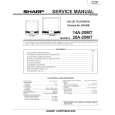
AV-2908TEE
VC (VIDEO/CHROMA) CIRCUIT ADJUSTMENT
The setting (adjustment) using the remote control unit is made on the basis of the initial setting values. The setting values which adjust the screen to the optimum condition can be different from the initial setting values. Do not change the initial setting values of the setting (adjustment) items not listed in �ADJUSTMENT�.
�
[SUB MENU 2. VC]
: Do not adjust. Initial setting value Variable range PAL SECAM NTSC3.58 NTSC4.43 COMPONENT �7 � +8 �32 � +31 �32 � +31 �32 � +31 �32 � +31 �32 � +31 �32 � +31 �8 � +7 0 0 �1/�16/0/0/0 0 �5 � �24/�10 0/+1/0 +5/+1/+1 0/+1/+1 +5/0/+1 �3 � �12 �15/+6 +1 +1/+1 � +10 � �/0 �
Setting (Adjustment) item 1 2 3 4 5 6 7 8 CUTOFF(R/G) DRIVE(R/G/B) BRIGHT(COM./TV/V-1/V-2/V-3) CONT COLOUR TINT (TV/VIDEO) SHARP (TV/VIDEO) YDELAY (TV/VIDEO/S)
Item Adjustment of WHITE BALANCE (Low light)
Measuring instrument Signal generator Remote control unit
Test point
Adjustment part 1. CUTOFF (R) CUTOFF (G) SCREEN VR [In HVT]
Description Note: � Set PICTURE MODE (VSM) to �BRIGHT�.
1. Receive a PAL black and white signal (colour off). 2. Select 2. VC from the SERVICE MENU. 3. Select 1. CUTOFF (R) and (G) with MENU &/^ key, and set each value to initial setting value with the 4 and 7 keys, or 5 and 8 keys on the remote control unit. 4. Press the 1 key on the remote control unit to produce a single horizontal line. 5. Turn the SCREEN VR fully counterclockwise, then slowly turn it clockwise to where a red, blue or green colour is faintly visible. 6. Use the keys 4 and 7 or 5 and 8 on the remote control unit and
V/C 1. CUTOFF 50 Hz MENU 89: SELECT MENU - / + : OPERATE (R) (G)
PAL
** **
DISPLAY : EXIT
adjust the other 2 colours to where the single horizontal line appears white. 7. Turn the SCREEN VR to where the single horizontal line glows faintly. 8. Press the 2 key to return to 1. CUTOFF screen. 9. Press the DISPLAY key twice to return to the normal screen. Setting (Adjustment) Item R Variable range �7 � +8 �7 � +8 Initial setting value 0 0
REMOTE CONTROL UNIT
H.LINE OFF 1 H.LINE ON G. CUTOFF (8) 4 R. CUTOFF (8) 7 R. CUTOFF (9) G.CUTOFF (9) 8 9 5 6 2 3
1. CUT OFF G
32
No. 51901
|
|
|
> |
|