|
|
|
Categories
|
|
Information
|
|
Featured Product
|
|
|
 |
|
|
There are currently no product reviews.
 ;
Easy to access. Clear instructions. No problems. Printed fine.
 ;
Great scan but please note that it is entirely in GERMAN.
;
High quality scan of the manual, very quick and easy download and very important, a truly honest price. thanks
;
Minden rendben, de két megjegyzés, az ábrák nehezen kivehetők és a fizetés után 24 órát kell várni a letöltésre.
;
Manual correct, and complete. Downloads cleanly. Format of manual was presumably difficult to PDF to A4, but works reasonably well.
Menu Functions
Channel Summary
Channel Summary allows you to customize the line-up of channels received by your TV. You can add or delete channels from the line-up or prevent any unauthorized viewers from watching any or all 181 channels. Press the MENU button To CHANNEL SUMMARY To operate The Channel Summary screen (below) will now be displayed with the channels set to scan marked with an "ü". You can delete channels from the scan by removing the "ü". If any channels were missed during Auto Tuner Setup and you wish to add them, you may by placing an "ü" next to the channel number.
CHNO. SCAN 01 02 03 04 05 CHNO. 06 07 08 09 10 SCAN
17
Channel Summary - Lock
To CHANNEL SUMMARY To operate
CHNO . 01 02 03 04 05 SCAN ü ü CHNO. 06 07 08 09 10 SCAN ü
ü ü ü
ü ü
To the Lock Column ZERO to lock or unlock that channel EXIT when finished
Channel Guard Message
When a viewer attempts to watch a guarded channel, the following message appears:
ü
THIS CHANNEL IS LOCKED BY CHANNEL GUARD. PLEASE ENTER LOCK CODE BY 10 KEY PAD TO UNLOCK IT. NO. - - - -
ü ü ü ü
ü ü
To the SCAN column To include or delete from scan EXIT when finished
To watch a channel that you have locked, enter the Lock Code using the 10 key pad (see �Set Lock Code� - page 21). If the wrong code is entered, this message will flash on the screen:
INVALID LOCK CODE !
The channel cannot be accessed until the correct code is entered. � Once a channel has been unlocked, it will remain unlocked until the television is turned off.
NOTES:
Some cable systems experience interference from radio frequencies on cable Channel 95. You may delete this channel from your scan by removing the "ü" next to it on the Channel Summary screen.
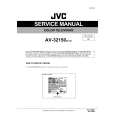 $4.99 AV32150 JVC
Service Manual Complete service manual in digital format (PDF File). Service manuals usually contains circuit diagr…
|
|
|
> |
|