|
There are currently no product reviews.
 ;
It is great, it saves money and paper. It helps me to save room and recources.
;
manual service is ok , resolve the problems
manual service is ok , resolve the problems
manual service is ok , resolve the problems
manual service is ok , resolve the problems
manual service is ok , resolve the problems
 ;
Well I got all the necessary specifications for the job. Document of good quality and good definition of the diagrams
;
hi .full information for JVC GRVF1EG Service Manual its compete .Thank You
;
perfect and good copies, all good readable.
within 24hrs and very cheap also.
AV-32230 AV-32260
(4) Setting method 1) UP / DOWN key of the MENU Select the SETTING ITEM. 2) LEFT / RIGHT key of the MENU Setting (adjust) the SETTING VALUE of the SETTING ITEM. When the key is released the SETTING VALUE will be stored (memorized). 3) EXIT key Returns to the previous screen.
SETTING ITEM
1. BRIGHT STATUS
999 99999999
PICTURE MODE
INITIAL SETTING VALUE (Adjust) SETTING VALUE
(5) Releasing SERVICE MENU 1) After returning to the SERVICE MENU upon completion of the setting (adjustment) work, press the EXIT key again.
¤
The settings for LOW LIGHT and HIGH LIGHT are described in the WHITE BALANCE page of ADJUSTMENT.
No. 51802
17
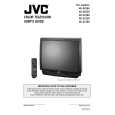 $4.99 AV-32230 JVC
Owner's Manual Complete owner's manual in digital format. The manual will be available for download as PDF file aft…
|