|
|
|
Categories
|
|
Information
|
|
Featured Product
|
|
|
 |
|
|
There are currently no product reviews.
 ;
So usefull to make my installation a breeze. 5 stars on quality.
;
very helpful, the information in these manuels are very detailed
;
Please tell us what you think and share your opinions with others. Be sure to focus your comments on the product. You will receive $2.00 of store credit for Your review.
;
Please tell us what you think and share your opinions with others. Be sure to focus your comments on the product. You will receive $2.00 of store credit for Your review.
;
Good copy and great customer service! There was some confusion with my order and it was resolved promptly!
Sound Settings
Bass
You can increase or decrease the level of low-frequency sound in the TV�s audio with the Bass adjustment. Press the MENU button To BASS To increase the bass To decrease the bass To move to the next setting Press the MENU button To MTS
23
MTS (Multi-Channel Television Sound)
MTS technology allows several audio signals to be broadcast at once, giving you a choice in what you wish to hear with a TV program. In addition to mono or stereo sound, an MTS broadcast may also include a Second Audio Program (SAP).
MTS
STEREO
ON AIR
SAP
MONO
Treble
Use Treble to adjust the level of high-frequency sound in your TV�s audio. Press the MENU button To TREBLE To increase the treble To decrease the treble To move to the next setting
Select the mode (The ON AIR arrow tells you if a broadcast is in Stereo and/or contains an SAP). � Keep the TV in STEREO mode to get the best sound quality. The sound will work in STEREO mode even if a certain broadcast is in MONO sound only. � Choose the MONO setting to reduce excessive noise on a certain channel or broadcast. � Selecting SAP will allow you to hear an alternative soundtrack, if one is available.
Balance
Adjust the level of sound between the TV�s two speakers with the Balance setting. Press the MENU button To BALANCE To shift the balance towards the right speaker To shift the balance towards the left speaker To move to the next setting
Some Sound Advice
You can tell if a program is broadcast in stereo by the position of the ON AIR arrow in the MTS menu screen. Unfortunately, while many programs are originally broadcast in stereo, some cable companies may �squash� the transmission to mono sound because they have only mono equipment. If you are connected to a cable system, the sound quality is determined by the cable company. If they broadcast only in mono, you will receive only mono sound, even if the program was aired in stereo. Fortunately, most stereo programs are broadcast by the major television networks. If you connect an antenna to your TV instead of cable and set the tuner mode in Auto Tuner Setup to �Air� instead of �Cable� you will be able to pick up stereo broadcasts in their original stereo format
NOTES:
You can leave the Sound Settings menu at any time by pressing the EXIT button on the remote control.
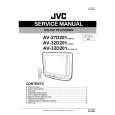 $4.99 AV32D501 JVC
Service Manual Complete service manual in digital format (PDF File). Service manuals usually contains circuit diagr…
|
|
|
> |
|










