|
|
|
Categories
|
|
Information
|
|
Featured Product
|
|
|
 |
|
|
There are currently no product reviews.
 ;
Very well done!!!!! congratulations. It was a bit longer than usual the wiating time even if it was on time (in 24 hours).
;
Last week I bought a second hand BAUKNECHT TRK4850 DRYER. It is a professional machine with many programs and switch options. I feared it would be a huge quest to find a manual. I was delighted when I found owner-manuals.com. After payment I received the file to download the next day already. The quality is great. I am very happy. Thanks!
but kindly the distributions of the operating programs not find in the owners manual,can you help me to understand the operating programs instructions thank you
;
Very good copy, very readable and easy transaction as always.
;
It is perfect, exactly what we needed. It's like the paper version but less clutter.
 ;
Received my manual within 24 hours. Very clear scan of the manual I needed. Thanks!
Aspect
Aspect
Your television can display images in one of four aspect ratios. The aspect ratio is the ratio of image width to height as displayed on the screen. The AV-56WP30 or AV-48WP30 has a �wide screen� with an aspect ratio of 16:9. A traditional television picture has an aspect ratio of 4:3. Since you will likely view programs from several different ratios, this feature will help you adjust your picture image to match, giving you the best possible picture quality. Press the ASPECT button on the remote control. The menu shown (left) will appear. To select the aspect ratio you wish to view, press the ASPECT button to move down the list. Each press will move to the next ratio, the onscreen display will change automatically. The aspect ratios are:
ASPECT PANORAMA CINEMA FULL REGULAR
� PANORAMA - With this ratio a normal 4:3 aspect picture is stretched to fit the dimensions of the 16:9 aspect screen. � CINEMA - This ratio �zooms in� on the center part of a 4:3 aspect picture, blowing it up to fill the 16:9 screen. � FULL - This is the ratio to use when watching 16:9 High-Definition broadcasts. � REGULAR - The Regular ratio is used when you want to watch a 4:3 broad cast or recorded program without modifying the original picture to fit the dimensions of your 16:9 screen. The 4:3 picture will fill the AV-56WP30�s or AV-48WP30�s screen from top to bottom, while black bars will appear to fill up the remaining space along the picture�s sides. The 4:3 picture will be centered within the boundaries of the 16:9 screen.
When you have selected the ASPECT ratio you wish to view, either press ENTER or wait a few seconds for the ASPECT menu to disappear. You may change the ASPECT at any time.
Aspect Ratios
PANORAMA
CINEMA
FULL
REGULAR
51
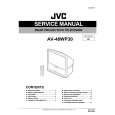 $4.99 AV48WP30 JVC
Service Manual Complete service manual in digital format (PDF File). Service manuals usually contains circuit diagr…
|
|
|
> |
|