|
|
|
Categories
|
|
Information
|
|
Featured Product
|
|
|
 |
|
|
There are currently no product reviews.
 ;
Super nice! Good to have a manual in digital format.
;
Great job supplying the manual.
Many of these products weerepretty obscure, so it was great that you had
the manual for it!
;
Great manual, would not have been able to operate my machine without it!!
James Dawson August 18, 2012
;
excellent value & price! Includes everything you need to know about the NN-C777! I would buy this again.
;
Very satisfied! I was searching for several days, but nope; till I discovered your webside and there it was at a very reasonable price. Keep up the good work!
Paul
Flanders
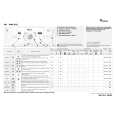
CONSUMPTION DATA Programme Cotton Cotton Cotton+ECO plus*** Daily Mixed Synthetics Rapid Plus Delicates Wool Handwash Temperature Selector (°C) 90/40 60 60 40 60/40 30 40 40 30 Load (kg) 5.0 5.0 5.0 3.0 2.0 3.0 1.5 1.0 1.0 Water (l) 49**/48 48 48 45 55**/50 35 50 50 35 Energy (kWh) 1.60/0.60 0.95 0.85 0.45 0.70/0.50 0.40 0.50 0.50 0.40 Approx. Programme Duration (hours : minutes)* 2:05/2:00 2:05 2:15 1:00 1:30/1:15 0:30 0:45 0:45 0:35
Prewash cycle increases programme duration approximately 15 min. Consumption values were measured in normalized conditions in compliance with standard IEC/EN 60 456. Consumption data in the home may vary with respect to the values in the table in relation to the water supply pressure and temperature, the load and the type of wash. * The remaining time indicator can similarly deviate from the values in the table, because it takes into account the household conditions applicable at that time. ** To reduce the water temperature, some cold water is added at the end of the main wash cycle, before the pump drains the water out. ***Reference Programme for Energy Label
Note: The programme with �Rinse Hold� stops when the �Rinse Hold� indicator light flashes on the �Programme Sequence Indicator�. Appliance in �Rinse Hold�: � Press the �Rinse Hold� button again: the programme will terminate automatically with the selected spin cycle. � If you do not wish to spin the clothes, turn the programme selector knob to the �Drain� programme and press the �Start/Pause� button again. �Spin Speed Reduction� button � Every programme has an automatically allocated maximum spin speed. � Press the button to set another spin speed. � If the spin speed �0� is selected, the final spin is cancelled, but not the intermediate spins. The programme ends with a drain cycle. START DELAY The �Start Delay� button allows the user to run the machine at his convenience, for example at night when electricity is cheaper. � Select programme, temperature and options. � Press the �Start Delay� button several times to select the delay time by 1 to 19 hours; � Press the �Start/Pause� button. The indicator light of the �Start/Pause� button lights up and the lamp of the �Start Delay� button flashes. � The time delay indication disappears when the programme starts and is replaced by the remaining time. � The number of hours preselected can be reduced later by pressing the �Start Delay� button again. To cancel the �Start Delay� option � T the programme selector to the � urn � position.
LID LOCK For safety reasons, the lid is locked during certain phases of the cycle. At the end of the cycle or during an interruption, the lid unlocks automatically after about 1 minute. END OF WASH CYCLE � The remaining time is on �0: 00� and the �End� lamp lights up. 1. Turn the programme selector to the � � position. 2. Turn the tap off.
3. Open the lid and the drum doors and unload the machine.
CHANGE THE PROGRAMME OR OPTIONS DURING THE CYCLE 1. Select the new programme using the programme selector. If necessary, select the additional options and the spin speed. The luminous indicator of the �Start/Pause� button flashes. Note: the �Start Delay� and �Prewash� options cannot be selected after a programme change. 2. Press the �Start/Pause� button. The new programme selected continues at the same position where the previous programme was interrupted. Note: Do not add detergent for this programme. PAUSE/INTERRUPT A PROGRAMME If, for any reason, you wish to interrupt the programme for a certain time and continue it later: 1. Press the �Start/Pause� button. The light flashes. 2. After the desired pause, press again on the �Start/Pause� button. CANCEL PROGRAMME 1. Set the programme selector to �Drain�. 2. Press the �Start/Pause� button to start the �Drain� programme.
PREPARATION OF WASH CYCLE 1. Close the drum doors and check that they are properly locked. 2. Add detergents and additives into the dispenser to no more then the �MAX� level mark, as follows: � Programme with pre and main wash � Main wash programme without prewash � Fabric softeners and conditioners � Chlorine bleach � Stain remover agents � Anti-scale agents (if necessary) 3. Turn the programme selector knob to the desired programme. The remaining time display shows the duration of the chosen programme (in hours and minutes) and the indicator light of the �Start/Pause� button flashes. The programme sequence and the predefined spin speed indication corresponding to the selected programme lights up. The preselected temperature can be altered by pressing the �+� or �-� button. SELECT THE DESIRED OPTION When you select an option authorized by the programme, the corresponding indicator lights up, except if the combination of programme, additional options and temperature is not possible.
�Easy Ironing� button � Can be used together with �Cotton�, �Synthetic� and �Daily Mixed� programmes to make ironing easier. � Increases the water quantity in rinsing and the clothes are spun in a softer manner. �ECO plus� button � With a modified temperature profile and a slightly prolonged washing duration, the optimum combination of excellent washing result and even lower energy consumption can be achieved. �Prewash� button � Only for heavily soiled loads (for example sand, granular dirt). �Intensive Rinse� button � The amount of water is increased to ensure a more intensive rinse. � This option is particularly suitable for areas with very soft water, washing baby linen and people with skin allergies. �Rinse Hold� button � The laundry remains in the last rinse water without progressing to the final spin cycle to avoid creasing and prevent colours from fading. � This option is particularly recommended for the �Synthetic�, �Delicate� and �Daily Mixed� programmes. � This function is particularly useful if you want to postpone spinning to a later time, or if you want to drain only.
� Reselect the desired programme and options and press the �Start/Pause� button. PROGRAMME START Turn on the tap and press the �Start/Pause� button. The indicator light of the �Start/Pause� button lights up. The indicator lamp shows the sequence reached by the programme. After starting the programme, the programme sequence indicator signals the Wash, Rinse and Spin phases. Note: If there is a power interruption or if the appliance is disconnected during the cycle, the programme will run again from the point where it was interrupted.
Whirlpool is a registered trademark of Whirlpool USA.
5019 312 10329
|
|
|
> |
|