|
|
|
Categories
|
|
Information
|
|
Featured Product
|
|
|
 |
|
|
There are currently no product reviews.
 ;
Great price, Quick delivery, the document was very usefull A+++++++++++++++
;
Thank´s for your help, I already recived these manual from you
;
Thank you for your manual It has the basic things to and i use the Oszi for Longer Time.
THX
;
Actually, I was looking for this information for 3 years!...now thanks to you, the manual is on my hands and of great help, cause I understand now where I was doing wrong connections and wires...excellent, I'll be back to you if in need, thank you.
 ;
This manual covers the main equipment features only. While it also includes the procedure for saving and loading from the now long obsolete memory cards it does not mention the how to operate with the optional floppy drive interface so I am still at a loss about how to use this! Note that there is a separate manual covering the MIDI interface and programming via the keyboard, not included in this download. You will also need to get hold of this if you want to use the MIDI interface properly. Basically there is little difference between this manual and the free to download manual for the similar PR60 model.
3gb05008A.fm5 Page 2 Thursday, May 31, 2001 12:22 PM
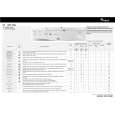
CONSUMPTION DATA Load Programme (kg) Cotton 95° Cotton 60° Cotton 40° Synthetics 60° Synthetics 40° Delicates 40° Wool 40° Silk 30° 5.0 5.0 5.0 2.5 2.5 1.5 1.0 1.0 (l) 49 44 44 55 50 50 50 37 (kWh) 1.70 0.95 0.55 0.80 0.60 0.50 0.50 0.40 Water Energy Approx. Programme Duration (hours:minutes) 1:50 2:00 1:50 1:25 0:50 0:45 0:40 0:40
�Spin Speed Reduction� button � Reduces the predetermined automatic maximum spin speed. In some programmes the maximum final spin speed is limited to go easy on your laundry items. Selection of a higher spin speed is not possible. PROGRAMME CHANGE To reselect a programme when a cycle has already begun: 1. Switch off the appliance by pressing the �ON/OFF� button. 2. Select the new programme. 3. Start the programme by pressing the �ON/OFF� button.
NOTES AND INDICATIONS FOR USE � WATER LEVEL It may not be visible as the cycle is optimised for a minimum water consumption without compromising washing results. SPIN SPEED CONTROL Spin speed may be reduced automatically or may even be excluded in the case of small loads with highly absorbent garments (e.g. bathrobes, bathmat). This control avoids cloth and machine damage and excessive vibrations and consequent noise produced by the machine due to load unbalance: by selecting high spin speeds the noise level increases. � MOTOR NOISE The running noises of the new, electronicallycontrolled motor are not the same as the ones you are used to from your old appliance. Don�t be surprised - modern technology has a modern sound. CLEANING THE FILTER To ensure an impeccable function of the pump, check the filter regular and clean it if necessary.
�
Prewash cycle increases programme duration approximately 15 min. Consumption values were measured in normalized conditions in compliance with Standard IEC 60 456. Consumption data in the home may vary with respect to the values in the table in relation to the water supply pressure and temperature, the load and the type of wash.
PROGRAMME END 1. At the end of the programme the programme selector moves to the stop position. 2. To unload the machine wait for the door to unlock (about 1 minute). 3. Switch off the appliance, open the door and take out the laundry. 4. Close the tap and leave the door ajar to allow the drum to dry out.
ADD DETERGENTS, CLOSE THE DOOR AND SELECT THE PROGRAMME Add the detergent as described in the programme table or in the chapter �Detergents and Additives� in the booklet. 1. Open the tap. 2. Set the programme selector to the desired programme. 3. Special options can be selected. 4. Check that the door is well closed and turn on the washing machine by pressing the �ON/OFF� button.
SELECT ANY DESIDERED OPTION �Rinse Hold� button � The laundry remains in the last rinse water without progressing to the final spin cycle to avoid creasing and prevent colours from changing. � This option is particularly recommended for the programme �Synthetics� or �Delicates�. � This function is particularly useful if you want to postpone spinning to a later time, or if you want to drain only. Terminate the �Rinse Hold� option: � Press the �Rinse Hold� button again; the programme will terminate automatically with the final spin cycle for the present wash programme. If you do not wish to spin the clothes, turn the programme selector knob to the �Drain� programme. �
Whirlpool is a registered trademark of Whirlpool USA.
5019 601 05008/A
Black Process Plate
|
|
|
> |
|