|
|
|
Categories
|
|
Information
|
|
Featured Product
|
|
|
 |
|
|
There are currently no product reviews.
 ;
Very well done!!!!! congratulations. It was a bit longer than usual the wiating time even if it was on time (in 24 hours).
;
Last week I bought a second hand BAUKNECHT TRK4850 DRYER. It is a professional machine with many programs and switch options. I feared it would be a huge quest to find a manual. I was delighted when I found owner-manuals.com. After payment I received the file to download the next day already. The quality is great. I am very happy. Thanks!
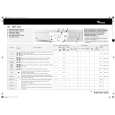
but kindly the distributions of the operating programs not find in the owners manual,can you help me to understand the operating programs instructions thank you
;
Very good copy, very readable and easy transaction as always.
;
It is perfect, exactly what we needed. It's like the paper version but less clutter.
 ;
Received my manual within 24 hours. Very clear scan of the manual I needed. Thanks!
Adjust the feet If the floor is uneven, adjust the levelling feet as required (do not insert pieces of wood etc. under the feet): 1. Slacken the locknut using the spanner supplied. 2.Adjust the height of the foot, turning it by hand. 3.Tighten the locknut by turning it anti-clockwise towards the appliance casing. If the appliance is to be installed on a wooden floor, distribute the weight by placing it on a 60 x 60 cm sheet of plywood at least 3 cm in thickness. Secure the plywood sheet to the floor.
Worktop for built-under models
The appliance must only be installed beneath a continuous fitted kitchen worktop. If the appliance will be built under it is mandatory to use the cover panel UBS. This can be obtained from specialist shops or from After-Sales Service. 1. Unplug the appliance. 2.Unscrew the worktop fixing screws from the rear of the appliance. 3.Slide the worktop fully backward and lift it upwards to remove. Install the cover panel following the relative instructions. 4.Refit the fixing screws and tighten them. 5.Plug the appliance only into the mains power socket.
|
|
|
> |
|