|
|
|
Categories
|
|
Information
|
|
Featured Product
|
|
|
 |
|
|
There are currently no product reviews.
 ;
Great manual, great price. I am very pleased with Owner-Manuals.com, quick service, fast communication. Will definitely use this site again.
;
Hello from Germany - thank you very much for the manual for my Sharp "Searcher" - the handling of your internet area is outstanding..Mike
;
I am very happy with the owner's manual. I bought a used Casio and was so relieved that I was able to get a hold of a owner's manual. It was very easy to download the manual and I had no problems with printing it. Thank you! Nancy Whalen
;
The purchased manual is an high-quality scan of the original JVC paper-based Owner´s Manual. I am very satisfied!
;
Very satisfied with received document, all is right, Thank You very much, it was a Pleasure to work with You.
English
Using the Preset SEA Modes
The preset SEA (Sound Effect Amplifier) modes give you control over the way your music sounds. Note: The preset SEA mode cannot be used for recording.
Selecting Your Favorite SEA Mode
On the front panel: 1. Press PRESET SEA so that the Control % / � / @ / # buttons work for preset SEA setting. The lamp above the button lights up. 2. Press Control % / � until the mode you want appears on the display. The SEA indicator also lights up on the display. Each time you press the button, the preset SEA modes change as follows:
PRESET SEA
MOVIE
SPORTS OFF
MUSIC
Note: When you turn on the preset SEA mode, the mode and its effect level previously selected is recalled at first. 3. Press Control @ / # to select the effect level. Each time you press the button, the effect level changes as follows: When �MOVIE� is selected:
MOVIE 1
MOVIE 2
MOVIE 3
When �SPORTS� is selected:
SPORTS1
SPORTS2
SPORTS3
When �MUSIC� is selected:
JAZZ 1 COUNTRY2
MOVIE SPORTS MUSIC
JAZZ 2 COUNTRY1
ROCK 1 MUSICAL2
ROCK 2 MUSICAL1
Adds breadth to sounds so you feel like you are in a movie theater. Makes sound exciting. Select one of the modes below: JAZZ: Gives a feeling of a live atmosphere. Good for acoustic music. ROCK: Gives a heavy sound. Both high and low frequencies are boosted. MUSICAL: Enhances the mid-frequency range, which the human voice is mostly made up of. COUNTRY: Enhance the high-frequency range so that instruments such the violin and banjo are emphasized. No preset SEA mode is applied. (See below)
OFF
To cancel the preset SEA mode, select �OFF� in step 2 above. The SEA indicator goes off from the display.
Page 15
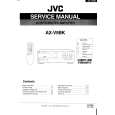 $4.99 AXV5BK JVC
Service Manual Complete service manual in digital format (PDF File). Service manuals usually contains circuit diagr…
|
|
|
> |
|