|
There are currently no product reviews.
 ;
Quick response and exactly what I was looking for and at a great fair price!
;
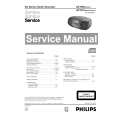
5 star quality on these downloadable manuals. Easy to read and all the information is there. A must when doing a custom install or needing to service your precious old school electronics.
;
So usefull to make my installation a breeze. 5 stars on quality.
;
very helpful, the information in these manuels are very detailed
;
Please tell us what you think and share your opinions with others. Be sure to focus your comments on the product. You will receive $2.00 of store credit for Your review.
Problems?: Troubleshooting Tips What do the flashing lights mean? Continued
What is the problem? Possible cause To solve the problem�
All of the upper lights are flashing.
The printer may need to be reset.
1 Press the Power Button to turn the printer off. Then press the Power Button again to turn the printer back on. 2 If that doesn�t solve the problem, press the Power button to turn the printer off. 3 Unplug the printer. 4 Plug the printer back in. 5 Press the Power Button to turn the printer on. Position the laptop or notebook: � More than 3 feet (1 meter) from the printer. OR � So its infrared lens is not aligned with the infrared lens on the printer (there should be more than a 30-degree total angle between the two lenses).
The infrared light is flashing.
The infrared lens of a laptop or notebook computer may be aligned with the infrared lens of the printer. This indicates that a connection has been established between the two devices.
64
|