|
|
|
Categories
|
|
Information
|
|
Featured Product
|
|
|
 |
|
|
There are currently no product reviews.
 ;
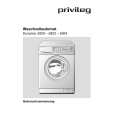
I found this rare manual, in french ! The brand of my washing machine is not famous but this site had the manual, that is perfect.
;
The manual was everything that I wanted. Clearly printed and delivered in very quick time. Would certainly use again if I needed a manual in the future
;
I received the manual in correct time. It was a perfect help for me.
;
excellent quality, contains circuits and scan quality, 226 pages
 ;
Great price for the manual and easy to locate on the site and download. I would buy again.
LECTEUR DE CD
Pour lire un CD
1 Réglez le commutateur coulissant POWER sur CD. 2 Appuyez sur OPEN � CLOSE pour ouvrir le compartiment
Y
OPEN
�
C LOSE
3 Introduisez un CD audio (face imprimée vers le haut) et refermez le compartiment. � Le lecteur d CD se met en marche et balaye la liste du contenu du CD, puis s�arrête. Affichage: nombre total de morceaux. 4 Appuyez sur la touche 2; pour démarrer la lecture du CD. � Affichage: numéro du morceau en cours.
STOP
PLAY ¥ PAUSE
CD RADI O CL AS
AZ1055
SETT E RE CO RDI NG
PAUSE
OPEN ¥STO P
SEARCH PLAY
RECORD
CD MO
5 Appuyez sur la touche 9 pour mettre fin à la lecture. � Affichage: nombre total de morceaux. Vous pouvez interrompre la lecture CD en appuyant sur 2;. et la reprendre en appuyant à nouveau sur cette touche. � Affichage: numéro du morceau en cours (clignote).
PROGRAM SHUFFLE
DE
Â¥
¥¥S
EA
RC
H
SEARCH ¥¥¥
Remarque: la lecture du CD sera également arrêtée: � si vous ouvrez le compartiment, � lorsque la fin du CD est atteinte, ou � lorsque vous modifiez la position du commutateur coulissant POWER.
Si vous faites une erreur lors de l�utilisation du lecteur de CD ou que le lecteur est incapable de lire le CD, l�affichage indique E ou no (voir �RECHERCHE DE PANNES�.). Si vous appuyez sur 2; alors que le compartiment ne contient pas de CD, l�affichage indique no.
Informations relatives à l�environnement
Tous les matériaux d�emballage superflus ont été supprimés. Nous avons fait de notre mieux pour que l�emballage soit facilement séparable en trois types de matériaux: carton (boîte), polystyrène expansé (matériel tampon), polyéthylène (sachets, panneau de protection en mousse).
Votre appareil est composé de matériaux pouvant être recyclés s�il est démonté par une firme spécialisée. Veuillez observer les règlements locaux lorsque vous vous débarrassez des matériaux d�emballage, des piles usagées et de votre ancien appareil.
17
Français
|
|
|
> |
|