|
|
|
Categories
|
|
Information
|
|
Featured Product
|
|
|
 |
|
|
There are currently no product reviews.
 ;
Immediate response with excellent service - highly reccommended
;
Correct manual received and of good quality but the contents of the file for the Service Manual for the same monitor is for a 20" TV not the RGB Monitor.
;
The owners manual for the Pioneer VSX-D603S was exactly what I needed. I received it in a timely manor and it was priced fairly. I definately will use your servise again. Thank You
;
This is a great manual. It was easy to read and very accurate. The size of the manual is small so email is no problem. I highly recommend it. The manual is very hard to find other than this website.
;
Manual was complete and available promptly, since I had lost my original manual. Very good response.
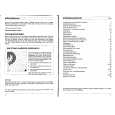
The handset controls shown below are used when programming your TV and to adjust the sound and picture features.
other equipment
Use these buttons for control of your VCR, Digital TV and Set Top Box receiver respectively.
accept
This button is used to confirm a highlighted selection.
cursor up cursor right
Use this button to move the menu selection box up. Use this button to move the menu selection box right.
cursor left
Use this button to move the menu selection box left.
menu
This button is used to enter the main menu. This is where your TV�s features options are displayed.
cursor down
Use this button to move the menu selection box down.
exit go back
This button is used to return to the previous on screen menu you were viewing, or to cancel a selection. Press this button to leave the menu you are on and return to normal TV operation.
When viewing an on-screen menu, there is a time delay of 20 seconds before the menu clears. If no adjustments are made within this time, your TV will return to normal operation.
11
program tuning handset controls
|
|
|
> |
|