|
|
|
Categories
|
|
Information
|
|
Featured Product
|
|
|
 |
|
|
There are currently no product reviews.
 ;
The manual was complete and of great quality. Originally a tri-lingual file, I first received only one language. After a note to owners-manuals.com, I quickly received the remaining languages... Great service, definitely worth it.
;
Thank you for providing this manual and at low cost.
The Philips scope is of excellent quality, longevity and build and had a couple of faults
when it was passed to me. Having the CCT diagrams is a blessing.
I have fixed the problems and also modded the scope to my requirements.
I have built a 24v Li-Ion pack for portable use from old but good laptop batts.
it is working beautifully and I am well pleased. Keep up the good work Guys.
 ;
manual was very helpful in learning how to propery use my washer. I could not find this manual anywhere else.
;
Awesome quality manual. You really saved my bacon with this one. Was looking for some specific information with regards to my "new" vintage VCR that didn't come with the owners manual. This site is truely a goldmine of available manuals. The quality of the scans are top notch.
Thank-you so much for this awesome manual. If you're looking for this Sony SL-HF400 owners manual, this is the one you NEED to buy. Definitely worth the money.
;
The manual was made available promptly. I is a clean scan of the original. I had no problem downloading it. The scan was well centered and cleanly formatted. It is as good a product as can be had without being the original document.
English
Timer Priority
Since each timer can be set independently, you may wonder what happens if the settings overlap. Here are the priorities for each timer: The Recording Timer always has priority. This means that: � If another timer is set to come on during a time when the Recording Timer is operating, the other timer just will not come on at all, so you will always get the entire program on tape. � If the Recording Timer is set to come on while another timer is operating, the other timer will shut off 10 seconds before the Recording Timer is set to turn on, and the Recording Timer will then take over. If the Sleep Timer is set while the Daily Timer is operating, the Sleep Timer will take over. However, if the Daily Timer is set to come while the Sleep Timer is operating, the Daily Timer will take over. Example 1 Setting Recording Timer SLEEP Timer ON OFF OFF Operation ON OFF
22:00
22:30
23:00
22:00
22:30
The Recording Timer has priority.
Example 2 Setting ON Recording Timer ON DAILY Timer OFF OFF ON Operation OFF
21:30
22:00
22:30
23:00
21:30
22:30
The Recording Timer has priority.
38
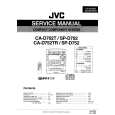 $4.99 CAD702T JVC
Service Manual Complete service manual in digital format (PDF File). Service manuals usually contains circuit diagr…
|
|
|
> |
|