|
|
|
Categories
|
|
Information
|
|
Featured Product
|
|
|
 |
|
|
There are currently no product reviews.
 ;
I received the manual in correct time. It was a perfect help for me.
;
excellent quality, contains circuits and scan quality, 226 pages
 ;
Great price for the manual and easy to locate on the site and download. I would buy again.
;
Very good copy of Manual, clear and easy to print off, arrived very promptly and reasonably priced. Thanks, I will use you again
;
The service manual when downloaded and printed out was clear and easy to read. The manual is complete with the schematic diagram and technical data. I occasionally require a manual and now having registered with this company I shall order from them in the future.
English
Sound Skip Guard Memory
The biggest weakness of discs is their susceptibility to vibration. The �Sound Skip Guard Memory� has been developed to cope with this weakness. With this function, a few seconds of signals read by the optical read head from the disc are first stored in memory before being reproduced as audio signals. Thus, even when vibration or shock interrupts signals being read, these stored signals can continue to reproduce sounds for the few seconds. Thus, the user will enjoy uninterrupted music.
Normally.... When �vibrated�....
MD limitations The MD records data in an original format that differs from that of conventional cassette tapes or DATs. Since there are some limitations with this recording format, the following types of symptoms may occur. These symptoms are not malfunctions. Symptoms �DISC FULL� appears, even though there is still enough remaining time on an MD. �DISC FULL� appears even though the number of tracks and recording time do not reach the limit. The JOIN function sometimes does not work. The remaining time on the MD does not increase even when tracks are erased. The sound drops out during fast forward or fast rewind. Cause There is a maximum number of tracks which can be recorded, regardless of recording time. More than 254 tracks cannot be recorded on an MD. � Repeating erasure and recording on the same MD creates many blank portions sparsely on the MD. When recording on such an MD, a track is recorded on these blank portions sparsely. If a track is divided and recorded into so many portions, �DISC FULL� appears. � If a divided portion of less than 8 seconds is made while a track is recorded on the MD, that track cannot be joined to another track using the JOIN function. Furthermore, if that track is erased, the remaining time of the MD may not increase exactly by the erased amount. � If a track has been divided into many portions while being recorded on the MD, sounds will drop out while fast forwarding or reversing such an MD. You cannot record on a blank portion of less than 2 seconds in the MD. For this reason, the actual recording time of discs may become shorter.
The amount of recorded time on the MD added to the amount of remaining time is shorter than the MD�s total possible recording time.
� 49 �
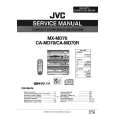 $4.99 CAMD70/R JVC
Service Manual Complete service manual in digital format (PDF File). Service manuals usually contains circuit diagr…
|
|
|
> |
|