Shopping cart is empty
 
English Polski Spanish 
Search For a Manual
 

(e.g. AA-V20EG JVC, ZX-7 Sony )
PayPal 1000+ rating Secure, Encrypted Checkout.
 
Categories
Information
Featured Product
Home >> JVC >> CATD77R Service Manual
 
 0 item(s) in your cart 

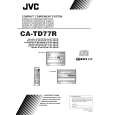
JVC CATD77R
Service Manual


Tweet about this product and get $1.00 of store credit for instant use!
  • Contains Circuit Diagrams
  • Download
  • PDF Format
  • Complete manual
  • Language: English
Price: $4.99

Description of JVC CATD77R Service Manual

Complete service manual in digital format (PDF File). Service manuals usually contains circuit diagrams, printed circuit boards, repair tips, wiring diagrams, block diagrams and parts list. Service Manual ( sometimes called Repair Manual ) is used mainly by technicians.

If You just want to know how to use Your tv, video, mp3 player etc. You should look for Owner's Manual. After placing order we'll send You download instructions on Your email address.

The manual is available in languages: English

Not yet ready
You must purchase it first

Table of Contents
    • Features
    • How this Manual is Organized
    • IMPORTANT CAUTIONS
      • Getting Started
        • Accessories
        • How to Put Batteries in the Remote Control
        • Using the Remote Control
        • Connecting the System Control Cord
        • Connecting the External Wire
        • Connecting the FM Antenna
        • Connecting the AM (MW/LW) Antenna
        • Connecting the Speakers
        • For Dolby Pro Logic Reproduction
        • Connecting a VCR
        • Connecting a TV
        • Connecting the MD Player
        • COMPU PLAY
        • Setting the Clock
        • Adjusting the Brightness of the Display
      • Common Operations
        • Turning the Power On and Off
          • Turning the System On
          • Turning the System Off
        • Adjusting the Volume
          • FADE MUTING Function
          • Balance Adjustment
        • Reinforcing the Bass Sound
        • S.E.A. Mode
          • Selecting a S.E.A. Effect Mode
          • Customizing a S.E.A. Effect Mode
      • Using the Surround Processor
          • On JVC's 3D - PHONIC Mode
          • On DAP Mode
          • On Dolby Pro Logic Mode
        • Playing the Source Using the 3D - PHONIC Modes
        • Playing the Source Using the DAP Modes
        • Playing the Source Using Dolby Pro Logic Mode
          • Preparing the Dolby Pro Logic Reproduction
          • Getting Ready to Use Dolby Pro Logic
          • Using the Dolby Pro Logic
      • Using the Tuner
          • One Touch Radio
        • Tuning in a Station
          • Switching between Frequency Bands
          • Selecting a Radio Station
        • To Change the FM Reception Mode
        • Presetting Stations
        • Receiving FM Stations with RDS
          • What Information RDS Can Provide
          • Changing the Display
          • Searching for Programmes by PTY Codes
          • EON Function
          • ALARM Function
      • Using the CD Player
          • The Quickest Way to Start a CD is with the One Touch Operation
        • Basics of Using the CD Player — Continuous Play
          • To Insert Discs
          • To Play a Disc
          • To Change Discs While Playing
          • To Select a Track
          • To Select a Passage within a Track
          • Locating a Track with the Remote Control Directly
        • Programming the Playing Order of the Tracks
          • To Check the Program
          • To Modify the Program
        • Random Play
        • Repeating a Track or the Discs
        • Tray Lock Function
          • Locking the Electronic Lock
          • Unlocking the Electronic Lock
      • Using the Cassette Deck (Listening to a Tape)
          • One Touch Play
        • Regular Play
          • Tape Direction Indicator and the Display
          • Fast Forward and Rewind
        • Music Scan
        • Other Useful Features of the Cassette Deck
          • Reverse Mode
          • DOLBY B NR
          • To Control the Cassette Deck While Another Source Being Played
      • Using the Cassette Deck (Recording)
          • Things to Know before You Start Recording
        • Standard Recording
          • To Record Any Sound Source to Tape
        • Checking the Tape Counter While Recording
          • How to Create a Blank Section on the Tape
        • CD Direct Recording
        • Auto Edit Recording
      • Using the Timer
        • Setting the DAILY Timer
          • Turning the DAILY Timer On and Off
        • Setting the ONCE REC (Recording) Timer
          • Turning the ONCE REC Timer On and Off
        • Setting the SLEEP Timer
        • Timer Priority
      • Using the VCR
        • Operating a JVC VCR or TV
          • Listening to a JVC VCR
          • Recording to a JVC VCR
          • Operating a JVC TV
        • Operating a VCR other than JVC's VCR
          • Listening to a VCR
          • Recording of a VCR
      • Care And Maintenance
      • Troubleshooting
      • Specifications
    • Safety Precautions
    • Important for Laser Products
    • Instruction Book
    • RX - TD77R
      • Description of Major ICs
      • Internal Connection of Display
      • Main Peats Layout
      • Disassembly Procedures
      • Adjustment Programs
      • Block Diagrams
      • Schematic Diagrams
      • Printed Circuit Boards
    • XT - TD77R
      • Description of Major ICs
      • Main Peats Layout
      • Disassembly Procedures
      • Adjustment Programs
      • Flow of Functional Operation Until TOC Read
      • Maintenance of Laser Pick up
      • Block Diagrams
      • Schematic Circuit Boards
      • Printed Circuit Boards
      • Parts List
    • General Exploded View and Parts List
    • CD Changer Mechanism Ass'y and Parts List
    • Cassette Mechanism Ass'y and Parts List
    • Cassette Loading Mechanism Ass'y and Parts
    • Electrical Parts List
      • (ENJ - 099)
    • Accessories List
    • Packing Materials and Parts List
Customer Reviews
There are currently no product reviews.
Other Reviews
 P-L75 SANSUI Service Manual by Kyle Reeves;
The manual for the Sansui P-L75 was not one of the more informative turntable manuals around but for $5 it was helpful enough.
 RX330VB/VLB JVC Service Manual by HERNAN CAICEDO;
VERY GOOD SERVICE.FAST ANS VERY HONEST PRICE .RHAANK HERNAN
 CCDV7AF/E SONY Service Manual by Eddai Perche;
Thanks to this service manual I repaired my old camcorder! The manual perfectly explains how to disassemble the camcorder step by step.
 CDP1100 TEAC Service Manual by Antony Pessoa;
This manual is very useful because it presents the technical specifications of the cd player, including the manufacturer of the reader, this helps if you need to replace it. It also displays the settings and layout of the circuit.
 EWV404 FUNAI Service Manual by Lou Hurrle;
Manual was a good representation of service infomation for the EWV404. It worked well for my repair.
You might also want to buy

$4.99

CA-TD77R JVC
Owner's Manual

Complete owner's manual in digital format. The manual will be available for download as PDF file aft…
>
Parse Time: 1.357 - Number of Queries: 101 - Query Time: 0.573