|
|
|
Categories
|
|
Information
|
|
Featured Product
|
|
|
 |
|
|
There are currently no product reviews.
 ;
Very satisfied with received document, all is right, Thank You very much, it was a Pleasure to work with You.
 ;
great site, the most easy and fastest way to find the manual you need, no 5 star because the manual was only available in german, but I speak german as well so no problem for me.
;
thanks for this download i got a pioneer bdp-lx70a blu-ray player and it had no manual i search everywhere on the internet and came across owner-manuals.com and i found that it was so easy to find and downloaded from this site if i ever need a manual again this would be the first place that i would come too thanks guys
;
Superb! It's the original manual. We can now use our old calculator with its full function.
;
This is a very well written and comprehensive manual. It answered all our queries.
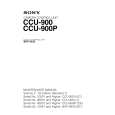
Location and Function of Parts
Front Panel
1 Red tally lamp 2 Green tally lamp 3 MIC switch 4 INTERCOM control
8 INTERCOM connector 7 CAMERA POWER switch and indicator 6 MAIN POWER switch and indicator 5 CABLE ALARM indicator
1 Red tally lamp Lights when a red tally signal is received. When the CALL button on the video camera, Master Setup Unit MSU-700A/750, RCP-700-series Remote Control Panel, etc. is pressed, this lamp will go out if previously lit, and light up if previously off. A supplied number plate can be mounted here. 2 Green tally lamp Lights when a green tally signal is received. A supplied number plate can be mounted here. 3 MIC (microphone selection) switch Used to select the type of headset microphone being used, or to turn microphone input off. DYNAMIC: for a dynamic microphone OFF: turns microphone input off CARBON: for a carbon microphone 4 INTERCOM (intercom volume adjustment) control Adjusts the intercom input level. 5 CABLE ALARM indicator SHORT: This indicator lights when there is a short circuit between a power supply line and the sheath of the optical-fiber cable, or when the two powersupply lines are shorted. When this indicator lights, the power supply is shut off. (If the
optical-fiber cable is long, this indicator may light for a few seconds after the main power is turned on until the short-circuit detection circuitry begins operating normally. This is not a malfunction.) OPEN: Lights when there is no camera connected via an optical-fiber cable to the CAMERA connector on the rear panel. The indicator blinks slowly when reception of light is in WARNING status, and blinks fast when it is in CARE status. 6 MAIN POWER switch and indicator Turns on/off the power to the entire system, consisting of the CCU-900/900P, a video camera, an RCP-700series Remote Control Panel connected via the REMOTE connector, etc. Setting the switch to the ? position turns the power on, and setting it to a turns it off. The indicator is lit when the power supply is on. 7 CAMERA POWER switch and indicator Turns on/off the power to the camera when the MAIN POWER switch is on. Setting the switch to the ? position turns the power on, and setting it to a turns it off. When a remote control panel is connected and the power supply is turned off with the CAM PW button on the remote control panel, this switch alone cannot be used to turn on the power of the video camera.
8
|
|
|
> |
|