|
|
|
Categories
|
|
Information
|
|
Featured Product
|
|
|
 |
|
|
There are currently no product reviews.
 ;
This is exactly the thing you need to service this box. The manual is complete and the quality of the scan is good. I recommend this!
;
The delivery of this manual was very fast, less than 8 hours. The manual is very clear and concise, and helped a great deal in the repair and final setup of the Hitachi HMA-G2 Amplifier.
;
Great service. The manual was exactly what I was looking for: schematic + layout. I managed to fix the player. Highly recommended!
 ;
At $5,00 certainly good bang for your buck. Includes electric schematics as well as exploded parts view + parts list for reordering. Unfortunately no details on the PCB contents or working, but then again, this is not overly complex. Best bonus: this manual does contain the heavily searched for LED error codes as well as descriptions for test operation. Haven't gotten around to fixing the machine yet, one thing the manual won't do for you is getting it out of the kitchen assembly :-(
;
It`s not your fault tear down is rather incomplete. It doesn`t have complete instructions as to deconstruction for repair.
CD-C5H,CP-C5H
TROUBLESHOOTING
When the CD does not function
When the CD section does not operate When the objective lens of the optical pickup is dirty,this section may not operate.Clean the objective lens,and check the playback operation.When this section does not operate even after the above step is taken,check the following items. Remove the cabinet and follow the troubleshooting instructions. "Track skipping and/or no TOC(Table Of Contents) may be caused by build up of dust other foreign matter on the laser pickup lens. Before attempting any adjustment make certain that the lens is clean. If not, clean it as mentioned below." Turn the power off. Gently clean the lens with a lens cleaning tissue and a small amount of isopropyl alcohol. Do not touch the lens with the bare hand. � The CD tray fails to operate.
Check the changer mechanism cam switch (SWB101 to SWB104) and tray switch (SWB105 to SWB108). Yes Check whether state changes to Low when IC201 pin 95 cam SW1 pin 96 cam SW2 pin 97 cam SW3 pin 98 cam SW4 is on. Check whether state changes to Low when IC201 pin 33 tray SWA pin 100 tray SWB pin 1 tray SWC pin 2 tray SWB is on. Yes Check whether output of pins 3 and 7 of main cam motor driver IC81 is normal. Yes Check whether the output of pins 3 and 7 of tray motor driver IC82 is normal. Yes Check the motors MOB1 and MOB2. Check the connection from IC2 to IC82. No Check the connection from IC2 to IC81. Check the connection between IC201 and SW.
No
No
� The CD function will not work.
The CD operating keys don't work Yes Check the CD, DSP, power supply, and 16.93 MHz clock and reset terminal IC2 pin 57. Yes Check the waveform of SCK, SO (DATA) and SI (COMM). Check the waveform of IC2 pin 54 (SQOUT), pin 55 (COIN), and pin 56 (CQCK). Yes Check that the pickup is in the PICKUP IN switch position of SW702A. Yes If the items mentioned above are OK, check the main microcomputer IC201.
� 51 �
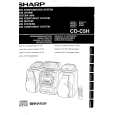 $4.99 CDC5H SHARP
Owner's Manual Complete owner's manual in digital format. The manual will be available for download as PDF file aft…
|
|
|
> |
|