|
|
|
Categories
|
|
Information
|
|
Featured Product
|
|
|
 |
|
|
There are currently no product reviews.
 ;
very helpful, the information in these manuels are very detailed
;
Please tell us what you think and share your opinions with others. Be sure to focus your comments on the product. You will receive $2.00 of store credit for Your review.
;
Please tell us what you think and share your opinions with others. Be sure to focus your comments on the product. You will receive $2.00 of store credit for Your review.
;
Good copy and great customer service! There was some confusion with my order and it was resolved promptly!
;
Having bought a pre-owned Sony FM stereo tuner through eBay, it came without any manuals. It soon became clear that to get the best from this excellent tuner I needed a decent manual because much of the operation was not intuitive to a newboy to hi fi like me. I managed to download the official Sony multi-lingual manual from Owner-Manuals.com with no problem at all - a really quick and easy service. I'm very glad I did because I found out all the operations of the tuner and was then able to not only set it up quickly but also to get much more from it that poke-and-hope trialling would ever achieve. In my book $4.99 very well spent.
BASIC OPERATION, AUDIO AND CLOCK ADJUSTMENT
PWR/ATT SEL Jog dial (PUSH-SOURCE)
1 Press SEL repeatedly to select the mode to be
adjusted. Pressing SEL cycles through the modes. The selected mode�s indicator appears. 2 Turn Jog dial to increase/decrease the level or to select on/off for the selected mode.
Note
Adjust the level or select on/off within 5 seconds, or the selected mode will return to previous state.
Aligning the source levels
(Source Level Adjuster)
DSPL TU (TUNER) +/�
Volume may vary each time you change the source mode. In this case, you can align each source mode�s volume to almost the same level.
Turning the unit on/off
� Press PWR/ATT to turn on the unit. The unit also turns on when you insert a CD. � Press and hold PWR/ATT until the unit turns off.
1 Press Jog dial (PUSH-SOURCE) or TU (TUNER)
repeatedly to select the desired mode.
2 Press DSPL while pressing SEL.
�LA 0� appears on the display.
3 Turn Jog dial to adjust the level.
Note
Adjust the level within 5 seconds, or the selected mode will be canceled.
Note
Most operations described in this manual require the unit to be turned on before starting the operation, unless explicitly stated otherwise.
Changing the source mode
1 Press Jog dial (PUSH-SOURCE).
Pressing Jog dial (PUSH-SOURCE) cycles through source modes in the following order:
Restoring the factory settings
1 Turn off the unit. 2 Press and hold DSPL until �LA --� appears on the
display.
TUNER (FM1/FM2/FM3/AM1/AM2) � CD* � AUX
�
Note
You can restore the factory settings only for VOL, BASS, TRE, BAL, FAD, and H-BASS, and aligned source volume levels.
* �CD� does not appear in the display when there is no CD in the unit.
Adjusting the volume
1 Turn Jog dial.
VOLUME indicator appears.
Setting the beep tone
1 Turn off the unit. 2 Press and hold SEL until �bEEP� appears on the
display. 3 Turn Jog dial to select on (level indicators appear) or off (level indicators disappear). 4 Press SEL.
Muting the sound
1 Press PWR/ATT briefly.
ATT indicator flashes. To restore volume, briefly press PWR/ATT again.
Adjusting sound
You can select the following modes for adjusting sound depending on the music you listen to: BASS (low frequencies), TRE (high frequencies), BAL (left/right), FAD (front/ rear) and H-BASS (high bass).
ENGLISH
2
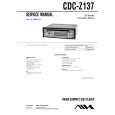 $4.99 CDCZ137 AIWA
Service Manual Complete service manual in digital format (PDF File). Service manuals usually contains circuit diagr…
|
|
|
> |
|