|
|
|
Categories
|
|
Information
|
|
Featured Product
|
|
|
 |
|
|
There are currently no product reviews.
 ;
This manual is very good. 303 pages scanned in a very high resolution. My camera has bad, leaking capacitors which all of the V5000 models are suffering from these days.
There is a huge part list with all capacitors, transistors etc. in this manual which helped me a lot. Otherwise I would not have been able to buy replacement parts.
The dissassembly guide is very enormous and detailed. Unlike on the Panasonic MS1 manual I downloaded here it actually looks like the real parts look. And the screws are labeled correctly, so you shouldn't have any left after the repair. ;)
;
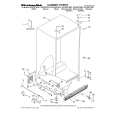
has all the schematics you could need,and very well laid out format also has all part numbers along with an exploded view which is helpful
 ;
Very nice to have! Now it is no problem to understand how it is put together.
Helps me a lot.
;
good scans, all is clear. all pages in order. recommended
;
Très-très bon site, facile, très bon prix.
Au futur besoin, je n’hésiterais à faire appel à vous.
Merci
CD-K1861V TEST MODE
� Setting the test mode Any one of test mode can be set by pressing several keys as follows. <REC. PAUSE> + <DISC. SKIP> + <POWER> TEST: CD operation test � TEST mode Function � CD test mode Setting of TEST mode Indication of CD TST mode (Fig. 11-1) OPEN/CLOSE operation is manual operation. The pickup can be moved by using the ( <MEMORY> LASER ON <MEMORY> Tracking on the spot. SERVO OFF PLAY ) or ( ) key. <STOP> STOP <MEMORY> Tracking on the spot. SERVO ON PLAY IL is not performed.
<PLAY> key input
TOC. IL is performed, and the ordinary PLAY is performed. If the following key is pressed during PLAY, it is possible to specify directly any Track No. <Disc Number 1> key: Track 4 <Disc Number 2> key: Track 9 <Disc Number 3> key: Track 15 ) or ( ) key.
Press <STOP> key.
Stop
Note: Only in STOP state it is possible to slide the pickup with the ( VOL. --- Last memory BAL. --- CENTER R.GEQ. --- FLAT X-BAS --- OFF
1
2
3
Canceling method - POWER OFF
Figure 11-1
CD SECTION
Since this CD system incorporates the following automatic adjustment function, when the pickup is replaced, it is not necessary to readjust it. Since this CD unit does not need adjustment, the combination of PWB and laser pickup unit is not restricted. � Automatic adjustment item 1. Focus offset (Fig. 11-2) 2. Tracking offset (Fig. 11-3) 3. E/F balance (tracking error balance) (Fig. 11-4) 4. RF level AGC function (HF level: constant) 5. RF level automatic follow-up of the tracking gain This automatic adjustment is performed each time a disc is changed. Therefore, each disc is played back using the optimal settings.
0.1s 0.50 V IC1 20 FE FOCUS OFF-SET ADJUST 0.1s 0.50 V IC1 7 TE 10ms 0.50 V IC1 7 TE TRACKING OFF-SET 1 ADJUST 2 TRACKING OFF-SET 1 ADJUST 2 10ms 0.50 V IC1 20 FE Enlarged View
Figure 11-2
200 ms 1V/diV IC 1 15 TO TRACKING/ ERROR BARANCE 1 ADJUST
Figure 11-3
200 ms 1V/diV IC 1 7 TE
2
Figure 11-4 � 11 �
|
|
|
> |
|