|
|
|
Categories
|
|
Information
|
|
Featured Product
|
|
|
 |
|
|
There are currently no product reviews.
 ;
Great manual, great price. Has a few of the basic operating instructions that most service manuals leave out. Complete instructions for disassembling board by board, safety precautions, schematics, complete parts list.
;
I am very pleased with the service manual for my RT-909. This was an easy purchase and great procuct, and much cheaper than other venues i had looked at. This web site is now listed in my favorites list. KEEP UP THE GOOD WORK. THANKS. J. BROWN
;
A very well written and easy to understand manual.
;
There was no problem at all.After paying i had to wait only a few hours,than i could
download the manual in best pdf-quality.
Thank You !
 ;
I found this service manual to be complete in every detail except for troubleshooting charts. It would be helpful if it had a set of troubleshooting charts; however it is a very good manual otherwise and for the price it is very well worth it.
1
2
3
4
A
OPERATIONS
1 2 4
B
3 8
5
6 7
Main mode operation
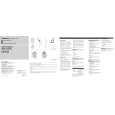
C q NAVI/AUDIO button Pressing this button switches the Operation mode. w VOICE button You can use the VOICE button to start voice recognition, allowing you to operate the Navigation System by speech. e SRC (SOURCE) button Switches between sources and switches power ON/OFF. (Depending on the connected units, operation may differ slightly.) ' r ', , [ , ] button Operates the same as the Head Unit�s ', button or the Joystick. D ' ,[, ]
Navigation mode (navigation oper ation)
The SRC (SOURCE) button, and [ / ] buttons are not used in Navigation mode. q NAVI/AUDIO button Pressing this button switches the Operation mode. w VOICE button You can use the VOICE button to start voice recognition, allowing you to operate the Navigation System by speech. r '/ button The map can be enlarged or reduced. If a menu list extends over several pages, switch to the previous page or the next page. t POS button Press this button to view the map or return to guidance. Also, when the map is scrolling, pressing this button returns to the map display of your surroundings. y GUIDE/TRAFFIC button Press this button if you want to hear the voice guidance again. If this button is pressed for more than two seconds, you can listen to traffic information on your route (where available). u Transmitter This transmits the remote control signals. i +/� button The volume of the navigation guide voice can be adjusted. '
t POS button Press this button to view the map or return to guidance. Also, when the map is scrolling, pressing this button returns to the map display of your surroundings. u Transmitter This transmits the remote control signals. i +/� button The Pioneer AV Head Unit�s sound volume can be adjusted.
E
F
4 1 2
CD-VC1/E
3
4
|
|
|
> |
|