|
|
|
Categories
|
|
Information
|
|
Featured Product
|
|
|
 |
|
|
There are currently no product reviews.
 ;
Very good manual. Plenty of service information including alignment instructions. Clear circuit diagram. Excellent, thank you.
 ;
Good morning, the service manual you sent me was perfect.
Your service and answering are excellent.
I recomend this service.
Best regards.
;
I had been looking everywhere for a proper service manual for this VCR. Everywhere else that has this available for download has a very light version. This is the full service manual with all aspects that would interest anyone looking for the service manual for the AIWA HV-MX100 Worldwide VHS VCR. Great quality (as always). A winner hands down. Best Quality.
;
Top quality manual. Covers all aspects you'd expect in a top quality service manual for this Panasonic VHS VCR. The manual resolution is high. Another top quality manual from the only site worth downloading manuals from! If you're looking for a manual for the PV-9662 VHS VCR, this is the one you'll want to get!
;
complete part-lists and pcb layout, schematic diagram is good enlargable,
1
2
3
4
A
OPERATIONS
1 2 4
B
3 8
5
6 7
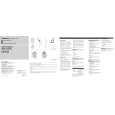
Main mode operation
C q NAVI/AUDIO button Pressing this button switches the Operation mode. w VOICE button You can use the VOICE button to start voice recognition, allowing you to operate the Navigation System by speech. e SRC (SOURCE) button Switches between sources and switches power ON/OFF. (Depending on the connected units, operation may differ slightly.) ' r ', , [ , ] button Operates the same as the Head Unit�s ', button or the Joystick. D ' ,[, ]
Navigation mode (navigation oper ation)
The SRC (SOURCE) button, and [ / ] buttons are not used in Navigation mode. q NAVI/AUDIO button Pressing this button switches the Operation mode. w VOICE button You can use the VOICE button to start voice recognition, allowing you to operate the Navigation System by speech. r '/ button The map can be enlarged or reduced. If a menu list extends over several pages, switch to the previous page or the next page. t POS button Press this button to view the map or return to guidance. Also, when the map is scrolling, pressing this button returns to the map display of your surroundings. y GUIDE/TRAFFIC button Press this button if you want to hear the voice guidance again. If this button is pressed for more than two seconds, you can listen to traffic information on your route (where available). u Transmitter This transmits the remote control signals. i +/� button The volume of the navigation guide voice can be adjusted. '
t POS button Press this button to view the map or return to guidance. Also, when the map is scrolling, pressing this button returns to the map display of your surroundings. u Transmitter This transmits the remote control signals. i +/� button The Pioneer AV Head Unit�s sound volume can be adjusted.
E
F
4 1 2
CD-VC1/E
3
4
|
|
|
> |
|