Shopping cart is empty
 
English Polski Spanish 
Search For a Manual
 

(e.g. AA-V20EG JVC, ZX-7 Sony )
PayPal 1000+ rating Secure, Encrypted Checkout.
 
Categories
Information
Featured Product
Home >> SONY >> CDXCA660X Service Manual
 
 0 item(s) in your cart 

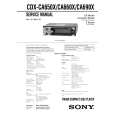
SONY CDXCA660X
Service Manual


Tweet about this product and get $1.00 of store credit for instant use!
  • Contains Circuit Diagrams
  • Download
  • PDF Format
  • Complete manual
  • Language: English
Price: $4.99

Description of SONY CDXCA660X Service Manual

Complete service manual in digital format (PDF File). Service manuals usually contains circuit diagrams, printed circuit boards, repair tips, wiring diagrams, block diagrams and parts list. Service Manual ( sometimes called Repair Manual ) is used mainly by technicians.

If You just want to know how to use Your tv, video, mp3 player etc. You should look for Owner's Manual. After placing order we'll send You download instructions on Your email address.

The manual is available in languages: English

Not yet ready
You must purchase it first

Customer Reviews
There are currently no product reviews.
Other Reviews
 18H815 SANYO Service Manual by LUIS FERNANDO SALAZAR HERRERA;
ecelent I was reciver the service manual soon I fell so happy very complete 100% positive all by this store tanks atte Luis salazar
 MRVF353 ALPINE Service Manual by Stu Williamson;
A great copy of the manual, and the only one I could find anywhere on the net! The circuit diagrams are easily readable, all component values marked and easy to see. A highly appreciated download!
 EX2HIE CANON Service Manual by andrewburkee01 moler;
Great Manual. This manual is available no where else. It was exactly what I was looking for.
 A-1500 TEAC Service Manual by Louie Role;
The TEAC A-1500's Service Manual was instrumental in reviving this classic reel-to-reel. Not only does it have the schematics, exploded parts diagram and parts list, it also provided mechanical adjustment information that approximate factory default settings.
 3552S ALPINE Service Manual by Tobias hurter;
This service manual was determinant to enable to fix my Alpine Amplifier. I am pleased with my purchase. For a 5 star rating I would like to see a higher resolution scan of the printed circuit board lay-out because the gray scale grafics was dificult to see. Also some schematic diagrams were scanned at a slight angle. Never the less, it had all information I needed to troubleshoot and service my equipment.

Text excerpt from page 15 (click to view)
Storing station names
� Station Memo
You can assign a name to each radio station and store it in memory. The name of the station currently tuned in appears in the display. You can assign a name using up to 8 characters for a station.

5

Press (ENTER).

Tips � Simply overwrite or enter �_� to correct or erase a name. � There is another way to start storing station names: Press (LIST) for 2 seconds instead of performing steps 2 and 3. You can also complete the operation by pressing (LIST) for 2 seconds instead of step 5.

Storing the station names

Displaying the station name
Switch the display item to frequency or station name*. To Switch display item Press (DSPL) during radio reception

1 2

Tune in a station whose name you want to store. Press (MENU), then press either side of (DISC/PRESET) repeatedly until �NAMEEDIT� appears. Press (ENTER).

3

* If the station name is not stored, �NO NAME� appears in the display for one second.

Erasing the station name

1 4
Enter the characters. 1 Press the (+)*1 side of (DISC/PRESET) repeatedly to select the desired character. AtBtC�t0t1t2� t + t � t � t _*2 t A

During radio reception, press (MENU), then press either side of (DISC/PRESET) repeatedly until �NAME DEL� appears. Press (ENTER). Press either side of (DISC/PRESET) repeatedly to select the station whose name you want to erase. Press (ENTER) for 2 seconds. The name is erased. Repeat steps 3 to 4 if you want to erase other names. Press (MENU) twice. The unit returns to normal radio reception mode.

2 3

*

*1 For reverse order, press the (�) side of (DISC/PRESET). *2 (blank space)

4

2 Press the (+) side of (SEEK) after locating the desired character.

5

If you press the (�) side of (SEEK), you can move back to the left. 3 Repeat steps 1 and 2 to enter the entire name.

Note If you have already erased all of the station names, �NO DATA� appears in step 4.

15

You might also want to buy

$4.99

CDX-CA660X SONY
Owner's Manual

Complete owner's manual in digital format. The manual will be available for download as PDF file aft…
>
Parse Time: 1.262 - Number of Queries: 102 - Query Time: 0.582