|
There are currently no product reviews.
 ;
Great service. Fast response. High quality scan. Good price.
Thank you very much!!!
Oleg S.
;
Well-scanned, complete manual. Contains the information needed for repair and maintenance.
;
It's great to be able to obtain a precious technical information for a real old equipment. The one I got helps me a lot in the area of wiring diagram to repair my antique. PDF gave me clear enough information to find out thr details. Thanks for giving me the oppotunity to be able to access to almost vanished informations.
;
Another excellent aquisition. Fine detailed manual. Thanks
 ;
Good quality for the scan, complete, but as usual for Tascam, not so comprehensive !
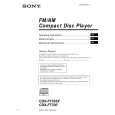
CDX-F7700/F7705X
DISC/ PRESET
PUSH SOUND
MODE DSO D SEEK
OPEN
SEEK
�
+
SCRL S EQ7 E
REP SHUF BBE MP PAUSE
IMAGE
DISC/ PRESET
OFF
SOURCE
1
2
3
4
5
6
DSPL
CDX-F7705X/F7700
The buttons on the unit share the same functions as those on the card remote commander. a 5 SEEK/AMS (.m/M>) buttons b Volume control dial/SOUND button Rotate to: � Adjust the volume. � Adjust the sound settings. Press to: � Select the sound items. 3 qs DISC (ALBUM)/PRESET (+/�) buttons 4 MODE button 6 DSO button 7 SCRL (scroll) button 8 Display window 9 Z (eject) button (located on the front side of the unit, behind the front panel) 12 0 OPEN button 10, 12 qa Receptor for the card remote commander qd OFF (Stop/Power off) button* qf EQ7 button qg RESET button (located on the front side of the unit, behind the front panel) 10 qh SOURCE button qj Number buttons qk DSPL (display mode change) button ql IMAGE button 25
* Warning when installing in a car without an ACC (accessory) position on the ignition switch After turning off the ignition, be sure to press and hold (OFF) on the unit until the display disappears. Otherwise, the display does not turn off and this causes battery drain.
6
6
|