|
There are currently no product reviews.
 ;
Very useful Service Manual! With it I was able to identify the damaged pots in my old amplifier, purchase the adequate replacements and make myself the repair.
I have again my old amplifier, still a very good one that I will keep for as many years as I can!
Thanks to Owner Manuals!
;
Good price for the manual and easy to locate on the site and download. Plus, just like the original. Thanks a lot.
;
Genuine Service Manual. Link was available in less then an hour or so. Service Manual contains assembly, PCB layout, complete circuit diagram, Components list etc
;
Great and very well scanned Service Manual, also very fast download - Recomended !
;
I'm quite impressed. I had to wait 24 hours for my manual (quite a rare one) but I got it and the quality was good. Also, from trawling the web, these prices are by far the best.
CFD-755/765 Printing Method for Large Sized Documents Such As Circuit Diagrams
Printing the page that exceeds A4-size two pages (or letter size) is possible by specifying the print range. (Acrobat Reader Version 4.0 or later) 1. The enlarged print is made, if a smaller range than A4 size is specified and the A4 size is selected as a print paper. 2. Almost real sized print is made, if the range is specified, meeting the print paper size. 3. The reduced print is made, if a larger range than the print paper size is specified. PRINTING BY SPECIFYING A RANGE In printing out the drawings such as a schematic diagram and a printed wiring board larger than the printed paper size, they can be printed by specifying the range. (Acrobat Reader Version 4.0 or later) 1. Display the page to be printed. 2. From the File menu, select [Page Setup] and set the paper size. 3. From the Command bar, select [Graphic Select Tool]. (Keep pressing T , select )
4. Dragging the cursor, enclose the range on the page to be printed. 5. From the File menu, select [Print] and make sure that the [Selected Graphic] is already checked. Also, if [Fit to page] is checked, the selected range is enlarged or reduced (and rotated as necessary) meeting the paper size.
@
!
6. To cancel the printed range, click an arbitrary position on the screen.
� 71 �
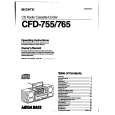 $4.99 CFD-765 SONY
Owner's Manual Complete owner's manual in digital format. The manual will be available for download as PDF file aft…
|